



Forex trading apps allow you to speculate on the value of currencies from a mobile or tablet device. The best forex apps for day traders offer a terrific user experience with advanced charting tools, excellent pricing, reliable execution, value-add features, and access to a great range of major, minor and exotic currency pairs. We’ve identified the forex applications that excel in these areas.
Top 6 Forex Day Trading Apps
Our comprehensive analysis, hands-on tests and ratings from real traders show that these are the best iPhone and Android apps for trading forex:
-
- GBPUSD Spread: 1.5
- EURUSD Spread: 0.9
- EURGBP Spread: 1.5
-
- GBPUSD Spread: 0.8
- EURUSD Spread: 0.7
- EURGBP Spread: 1.1
-
- GBPUSD Spread: Variable
- EURUSD Spread: 1.7
- EURGBP Spread: Variable
-
- GBPUSD Spread: 0.8
- EURUSD Spread: 0.8
- EURGBP Spread: 1.5
-
- GBPUSD Spread: 0.2
- EURUSD Spread: 0.1
- EURGBP Spread: 0.3
-
- GBPUSD Spread: 0.4
- EURUSD Spread: 0.1
- EURGBP Spread: 0.4
73-89% of retail investor accounts lose money when trading CFDs






Learn how we test brokers and why you can trust our ratings.
Here is a short overview of each broker's pros and cons
- AvaTrade 4.9/5 AvaTradeGO consistently impresses with its comprehensive mobile trading experience, boasting an interface that's not just easy to use, but genuinely intuitive. Navigating the app is a breeze, ensuring fast access to hundreds of markets, including forex, stocks, indices, commodities, ETFs, and bonds. However, what sets AvaTradeGO apart is its AvaProtect™ feature, offering an unmatched level of risk protection that's rare to find elsewhere.
- Plexytrade 3.9/5 Rather than developing its own app, Plexytrade offers its 100+ instruments on the MT4 and MT5 mobile platforms. While MetaTrader is favored by experienced traders, the absence of a proprietary trading app results in a steep learning curve for beginners. It also means deposits, withdrawals and account management have to be completed through the Plexytrade website, leading to a less complete mobile trading experience.
- NAGA 4.1/5 The NAGA app offers the complete mobile trading experience for social investors with a community feed, leaderboard, TradingView charts, alerts, and account management functions including deposits and withdrawals. Intuitive and stable in our tests, mobile users can find and copy top traders in a few taps from their palm. The MetaTrader mobile app is also supported, though in our use we found it less effective for extensive charting analysis owing to the fiddly charts and screen size.
- XM 4.8/5 XM offer a mobile app for both Android and iOS that has been specifically tailored to each platform, maximizing the functionality of both. The app delivers the MT4 and MT5 software on the move, with full access to the broker’s 1,400+ instruments. Where they shine is their dependability with minimal glitches and delays during testing. The built-in news, trading journal and push notifications also ensure you have everything you need to day trade from your hand.
- IC Trading 4.2/5 IC Trading provides a range of powerful apps that let you trade from a variety of devices. There’s no proprietary app - which may be a red flag for beginner traders - but MetaTrader 4/5 and cTrader apps are available for mobile devices. These industry-proven apps let you access advanced charting tools, execute day trades swiftly, and conduct in-depth market analysis on the move.
- Pepperstone 4.8/5 Pepperstone excels for its excellent integration with the MT4, MT5, cTrader, and TradingView apps, making it a standout option for day traders familiar with these leading third-party trading solutions. These platforms deliver a stable and reliable mobile trading experience, enhanced by Pepperstone's almost unrivalled execution speeds and wide range of asset classes. Recent improvements also helped it secure second place in DayTrading.com's annual 'Best Trading App' award for 2025.
Best Forex Day Trading Apps 2026 Comparison
| Broker | iOS Rating | Android Rating | Forex Assets | EUR/USD Spread | Minimum Deposit |
|---|---|---|---|---|---|
| AvaTrade | 50+ | 0.9 | $100 | ||
| Plexytrade | 40+ | 0.7 | $50 | ||
| NAGA | 49 | 1.7 | $10-$250 (location and tier dependent) | ||
| XM | 55+ | 0.8 | $5 | ||
| IC Trading | 60+ | 0.1 | $200 | ||
| Pepperstone | 100+ | 0.1 | $0 |
Community Sentiment
See how users rate these brokers based on the average customer ratings submitted on DayTrading.com, plus ratings from Trustpilot, the Apple App Store and Google Play.
| Broker | Our Users' Rating | Trustpilot Score | Trustpilot Reviews | iOS App Rating | Android App Rating |
|---|---|---|---|---|---|
| AvaTrade | 13567 | ||||
| Plexytrade | 95 | ||||
| NAGA | - | 4112 | |||
| XM | 3133 | ||||
| IC Trading | 606 | ||||
| Pepperstone | 3678 |
AvaTrade
AvaTrade offers active traders everything they need: an intuitive WebTrader, powerful AvaProtect risk management, a smooth 5-minute sign-up process, and dependable support you can rely on in fast-moving markets.
 Jemma Grist, Reviewer
AvaTrade quick facts
- GBPUSD Spread
- 1.5
- EURUSD Spread
- 0.9
- EURGBP Spread
- 1.5
- Total Assets
- 50+
- Platforms
- WebTrader, AvaTradeGO, AvaOptions, AvaFutures, MT4, MT5, AlgoTrader, TradingView, TradingCentral, DupliTrade
- Mobile Apps
- iOS & Android
- iOS App Rating
- / 5
- Android App Rating
- / 5
- Demo Account
- ✔Yes
- Instruments
- CFDs, Forex, Stocks, Indices, Commodities, ETFs, Bonds, Crypto, Spread Betting, Futures
- Minimum Deposit
- $100
- Account Currencies
- USD, EUR, GBP, CAD, AUD, ZAR
Pros
- Years on, AvaTrade remains one of the few brokers offering a bespoke risk management tool, AvaProtect, that insures losses up to $1M for a fee and is easy to activate on the platform.
- AvaTrade launched AvaFutures to offer low-margin access to global markets, then expanded in 2025 as one of the first brokers to add CME’s Micro Grain Futures, and then later in the year went further by integrating with TradingView.
- The WebTrader excelled in our hands-on tests, sporting a user-friendly interface for beginners, complete with robust charting tools like 6 chart layouts and 60+ technical indicators.
Cons
- The AvaSocial app is good but not great – the look and feel, plus the navigation between finding strategy providers and account management needs upgrading to rival category leaders like eToro.
- AvaTrade’s WebTrader has improved, but work is still needed in terms of customizability – frustratingly widgets like market watch and watchlists can’t be hidden, moved, or resized.
- While signing up is a breeze, AvaTrade lacks an ECN account like Pepperstone or IC Markets, which provides the raw spreads and ultra-fast execution many day traders are looking for.
Plexytrade
Plexytrade is a newcomer in the brokerage scene with attention-grabbing features like 1:2000 leverage, zero spreads on select instruments and fast execution speeds of less than 46 milliseconds. However, the absence of regulation is a significant concern, while the non-existent research and educational tools place it far behind industry frontrunners.
 Christian Harris, Reviewer
Plexytrade quick facts
- GBPUSD Spread
- 0.8
- EURUSD Spread
- 0.7
- EURGBP Spread
- 1.1
- Total Assets
- 40+
- Platforms
- MT4, MT5, TradeLocker
- Mobile Apps
- iOS & Android
- iOS App Rating
- / 5
- Android App Rating
- / 5
- Demo Account
- ✔Yes
- Instruments
- CFDs, Forex, Indices, Stocks, Commodities, Crypto
- Minimum Deposit
- $50
- Account Currencies
- USD, EUR
Pros
- Sub 50ms execution speeds are fast enough for intraday trading setups.
- There are various VPS packages starting from $50 per month, but they become complimentary once specific deposit thresholds are reached.
- Plexytrade accommodates a range of trading methods and short-term strategies, including scalping, hedging, and automated trading.
Cons
- Deposits and withdrawals are exclusively facilitated through cryptocurrencies, as Plexytrade does not support bank cards, bank wire transfers, or e-wallets.
- With around 100 instruments, Plexytrade restricts the flexibility of investors who prefer to trade across various assets, especially compared to Blackbull with its 26,000 securities.
- There are no social or copy trading features for inexperienced traders to replicate the trades of more experienced investors, trailing category leaders like eToro.
NAGA
NAGA is a snug fit for beginners who like to learn by watching others, delivering a more advanced social trading network than the majority of CFD brokers, featuring a leaderboard with top traders by profit and win rate, and a one-tap autocopy function in the platform and app that’s a standout.
Christian Harris, Reviewer
NAGA quick facts
- GBPUSD Spread
- Variable
- EURUSD Spread
- 1.7
- EURGBP Spread
- Variable
- Total Assets
- 49
- Platforms
- NAGA Platform, NAGA App, MT4, MT5, TradingView, TradingCentral
- Mobile Apps
- iOS & Android
- iOS App Rating
- / 5
- Android App Rating
- / 5
- Demo Account
- ✔Yes
- Instruments
- CFDs on Forex, Indices, Shares, Commodities, Crypto, Real Stocks and Futures
- Minimum Deposit
- $10-$250 (location and tier dependent)
- Account Currencies
- USD, EUR, GBP, PLN
Pros
- The copy-trading feature is the main reason to open a NAGA account, and it’s more advanced than what most CFD brokers offer. You can check a leaderboard of top traders by profit and win rate, then automatically copy their trades in the same app - only eToro offers something similar.
- NAGA stands out among social brokers for its wide range of assets, offering over 4,000 tradable options. These include forex pairs, stock, ETF, and index CFDs, commodity CFDs, crypto, and even exchange-traded futures, which are rare for retail clients.
- During testing, we were approved to begin trading very quickly; after we provided our ID and proof of address, approval was granted the next business day, and the onboarding process included a suitability questionnaire — a responsible step that some brokers fail to include.
Cons
- NAGA’s pricing structure is tough on smaller accounts. There’s only one account type, but it has six tiers based on your deposit. The EUR/USD spread is about 1.7 pips at the Iron tier and drops to a competitive 0.9 pips at Diamond ($50,000 deposit) or 0.7 pips at Crystal ($100,000 deposit).
- The 1:30 leverage limit only applies to clients in the EU (under CySEC) and the GCC (through Abu Dhabi’s ADGM). Clients from LATAM, Asia, and Africa use the Seychelles or FSCA entities, where leverage can go up to 1:1000 and there’s no compensation scheme. This mix of high leverage and little protection is a risk, along with concerns about its suspended Trustpilot score in 2026.
- The $50 monthly inactivity fee is on the high end of the scale. It kicks in after two months of no activity, not every quarter like some brokers. If your balance falls below $50 while your account is inactive, NAGA takes whatever is left and closes your account.
XM
With a low $5 minimum deposit, advanced charting platforms in MT4 and MT5, expanding range of markets, and a Zero account offering spreads from 0.0, XM provides all the essentials for active traders, even earning our ‘Best MT4/MT5 Broker’ award in recent years.
Christian Harris, Reviewer
XM quick facts
- GBPUSD Spread
- 0.8
- EURUSD Spread
- 0.8
- EURGBP Spread
- 1.5
- Total Assets
- 55+
- Platforms
- MT4, MT5, TradingCentral
- Mobile Apps
- iOS, Android & Windows
- iOS App Rating
- / 5
- Android App Rating
- / 5
- Demo Account
- ✔Yes
- Instruments
- CFDs, Forex, Stocks, Commodities, Indices, Thematic Indices, Precious Metals, Energies
- Minimum Deposit
- $5
- Account Currencies
- USD, EUR, GBP, JPY, ZAR
Pros
- XM stands out for its commitment to trader education, with a wealth of well-presented resources, including webinars, tutorials, and even real-time trading sessions through XM Live.
- XM’s growing roster of 1,400+ instruments provides diverse short-term trading opportunities, with unique turbo stocks, fractional shares, and more recently thematic indices.
- XM’s Zero account is ideal for day trading with spreads from 0.0 pips, 99.35% of orders executed in <1 second, and no requotes or rejections.
Cons
- Although trusted and generally well-regulated in some regions, XM also has global entities registered with the weak regulators like FSC (Belize) and FSA (Seychelles), whilst UK clients are no longer accepted, reducing its market reach.
- XM is falling behind the curve by not offering cTrader, which is favored over MetaTrader by some serious traders for its smoother user experience and superior charting package.
- While the XM app stands out for its usability and exclusive copy trading products, the selection of technical analysis tools needs to be improved to meet the needs of advanced traders.
IC Trading
With superior execution speeds averaging 40 milliseconds, deep liquidity, and powerful charting software, IC Trading delivers an optimal trading environment tailored for scalpers, day traders, and algorithmic traders.
Christian Harris, Reviewer
IC Trading quick facts
- GBPUSD Spread
- 0.2
- EURUSD Spread
- 0.1
- EURGBP Spread
- 0.3
- Total Assets
- 60+
- Platforms
- MT4, MT5, cTrader, AutoChartist, TradingCentral
- Mobile Apps
- iOS & Android
- iOS App Rating
- / 5
- Android App Rating
- / 5
- Demo Account
- ✔Yes
- Instruments
- CFDs, Forex, Stocks, Indices, Commodities, Bonds, Cryptos, Futures
- Minimum Deposit
- $200
- Account Currencies
- USD, EUR, GBP, CAD, AUD, NZD, JPY, CHF, HKD, SGD
Pros
- Trading Central and Autochartist are valuable tools for in-depth technical summaries and actionable trading ideas and are accessible from within the account area or the cTrader platform.
- IC Trading offers unusual flexibility in its accounts, enabling traders to open up to 10 live and 20 demo accounts, meaning you can run separate profiles for different activities, such as manual trading and algo trading.
- IC Trading provides industry-leading spreads, including 0.0-pip spreads on major currency pairs such as EUR/USD, making it ideal for day traders.
Cons
- The educational resources are greatly in need of improvement, unless you navigate to the IC.com website, posing a limitation for beginners in search of a comprehensive learning journey, especially compared to category leaders like eToro.
- Customer support performed poorly during testing with multiple attempts to connect via live chat and no one available to assist, plus unanswered emails, raising concerns about its ability to address urgent trading concerns.
- Despite being part of the trusted IC group, IC Trading is authorized by a weak regulator - the FSC of Mauritius, with limited financial transparency and regulatory safeguards.
Pepperstone
Pepperstone stands out as a top choice for day trading, offering razor-sharp spreads, ultra-fast execution, and advanced charting platforms for experienced traders. New traders are also welcomed with no minimum deposit, extensive educational resources, and exceptional 24/5 support (18h a day on weekends).
Christian Harris, Reviewer
Pepperstone quick facts
- GBPUSD Spread
- 0.4
- EURUSD Spread
- 0.1
- EURGBP Spread
- 0.4
- Total Assets
- 100+
- Platforms
- Pepperstone Trading Platform, MT4, MT5, cTrader, TradingView
- Mobile Apps
- iOS & Android
- iOS App Rating
- / 5
- Android App Rating
- / 5
- Demo Account
- ✔Yes
- Instruments
- CFDs, Forex, Currency Indices, Stocks, Indices, Commodities, ETFs, Crypto CFDs, Spread Betting
- Minimum Deposit
- $0
- Account Currencies
- USD, EUR, GBP, CAD, AUD, NZD, JPY, CHF, HKD, SGD
Pros
- Pepperstone has started providing trading in pre-IPO perpetual futures like SpaceX (SPCX.US-PERP) in select regions, such as the UAE.
- Award-winning customer support is available via telephone, email or live chat with response times of <5 minutes during testing and friendly agents knowledgeable about its products and trading tools.
- Pepperstone emerges as a low-cost broker, especially for serious day traders with spreads from 0.0 in the Razor account and rebates up to 30% (index and commodities) and $3/lot (forex) through the Active Trader program.
Cons
- Despite improvements to its range of markets, crypto CFD offerings are still fairly limited compared to other brokers who focus on this area, such as Eightcap, and there's no option to invest in real coins.
- Execution may not feel as reliable in fast markets as headline speeds suggest. In our own testing, execution was fast at desired prices, but some community complaints focus on slippage, stop-loss fills and spread-sensitive order triggers during volatile conditions.
- Pepperstone has removed support for several tools that elevated the trading experience for active retail traders, notably Autochartist, Capitalise.ai and a free VPS for qualifying traders (now only pro traders in some countries).
In instances where forex brokers lack their own custom trading applications, opting instead to utilize external solutions such as MT4, MT5, or cTrader, we’ve provided these ratings from the relevant app stores. Additionally, please be aware that app store ratings are subject to change.
Comparing Forex Day Trading Apps
To find the top apps for trading currencies, we consider several criteria that collectively contribute to a superior mobile trading experience:
Forex Assets
Downloading an app that provides access to the currency pairs you want to speculate on is essential, as the range of currency pairs can vary significantly.
Our analysis of hundreds of forex apps shows that most top firms support at least 40 currency pairs, from majors like the EUR/USD to minors like the GBP/JPY and exotics like the CAD/SGD.
Choosing a forex app with a large suite of forex assets is important to ensure you have a good range of day trading opportunities and the ability to build a diverse portfolio.
Some brokers with forex apps, such as CMC Markets, also stand out by offering forex indices, providing an alternative way to speculate on the value of key currencies like the USD, EUR and GBP.
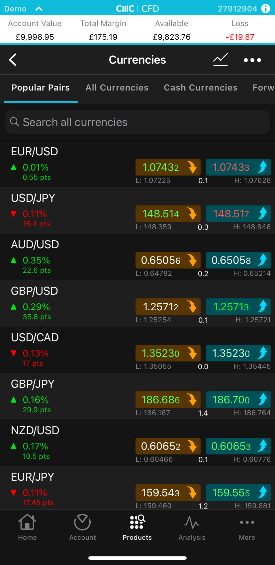
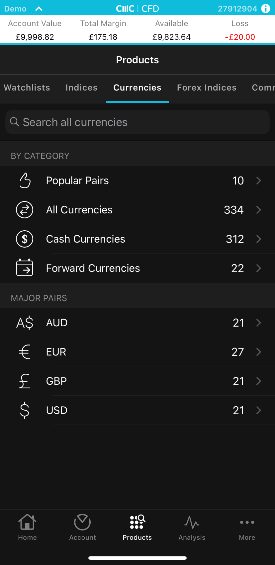
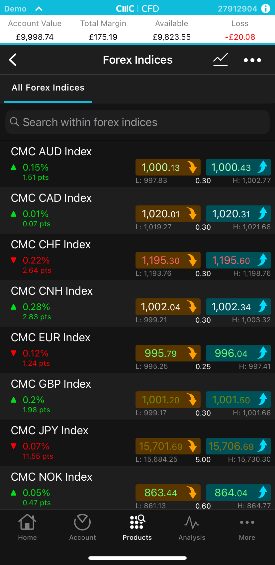
You can compare the selection of currency assets at our top forex apps below.
| AvaTrade | Plexytrade | NAGA | XM | Trade Nation | |
|---|---|---|---|---|---|
| Currency Pairs | 50+ | 40+ | 49 | 55+ | 33 |
| Visit | Visit | Visit | Visit | Visit | Visit |
| Review | Review | Review | Review | Review | Review |
Trading Fees
Using a forex app that charges low fees is essential, as the frequent transactions involved in day trading strategies can accumulate, affecting net gains.
Our top-rated currency apps come with competitively low fees for short-term traders, a conclusion we reach through regular assessments of both trading and non-trading fees.
For example, we evaluate the spreads you will pay on three of the most popular currency pairs: EUR/USD, EUR/GBP and GBP/USD.
However, our extensive industry experience has underscored the need to balance cost with quality. Opting for the cheapest forex app without evaluating the range of currency pairs and charting tools can be a misstep, particularly for advanced traders requiring top-notch tools.
You can compare the spreads on popular currency assets at our top forex apps below.
| AvaTrade | Plexytrade | NAGA | XM | Trade Nation | |
|---|---|---|---|---|---|
| Fee Rating | |||||
| EUR/USD Spread | 0.9 | 0.7 | 1.7 | 0.8 | Variable |
| EUR/GBP Spread | 1.5 | 1.1 | Variable | 1.5 | Variable |
| GBP/USD Spread | 1.5 | 0.8 | Variable | 0.8 | Variable |
| Visit | Visit | Visit | Visit | Visit | Visit |
| Review | Review | Review | Review | Review | Review |
Design & Usability
Choosing a forex app that provides a great user experience with an intuitive design is crucial; not only will it minimize the learning curve and enhance your ability to capitalize on market opportunities, but it also makes for an enjoyable trading experience.
That’s why these elements are at the core of our evaluation process, derived from the personal observations of our hands-on testers, and reinforced by ratings from other forex traders on Apple and Android devices, which we’ve collated from the relevant app store.
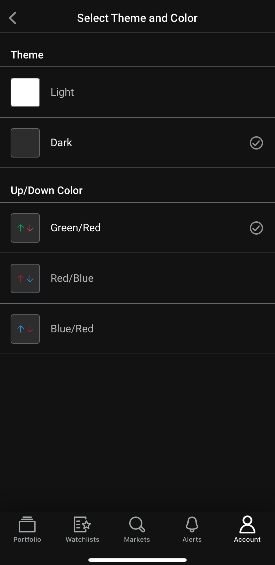
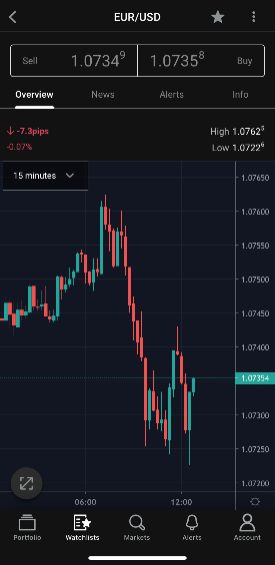
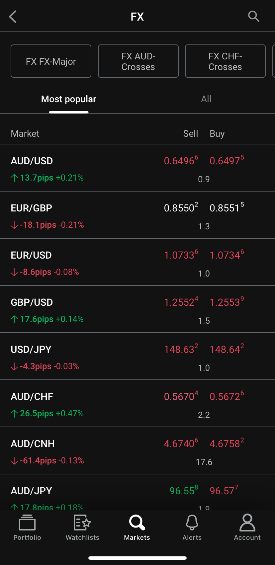
Below you can see how the ratings from our in-house experts stack up against those from the Apple App Store and Google Play Store across our top forex apps.
| AvaTrade | Plexytrade | NAGA | XM | Trade Nation | |
|---|---|---|---|---|---|
| Our Rating | |||||
| iOS Rating | |||||
| Android Rating | |||||
| Visit | Visit | Visit | Visit | Visit | Visit |
| Review | Review | Review | Review | Review | Review |
Charting Tools
Picking a forex app with excellent charting tools is crucial, especially for day traders who often use technical analysis to identify entry and exit points in fast-paced currency markets.
We know from first-hand experience that you often sacrifice charting functionality when you move from a desktop platform to a mobile or tablet device, particularly in the number of indicators, drawing tools and customization options.
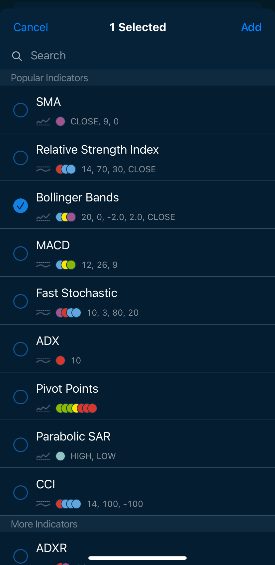
That’s why we look for apps that offer a robust charting package for mobile traders of all levels, including indicators that are particularly popular with forex day traders, such as Moving Average Convergence Divergence, Bollinger Bands, and Average Directional Index.
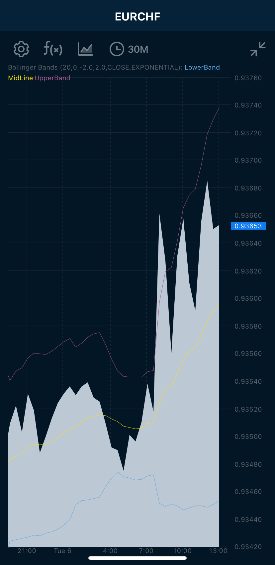
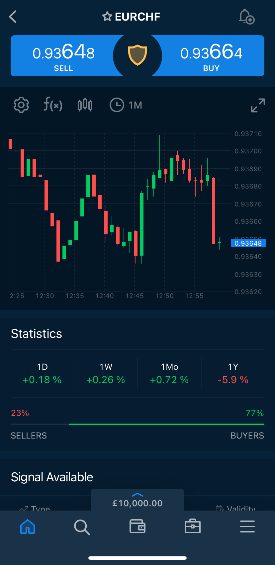
We also check for access to popular third-party apps like MetaTrader 4 (MT4), which was built specifically for forex trading and remains the most popular trading platform despite increasing competition from proprietary solutions developed by online brokers and third-party alternatives like cTrader and TradingView.
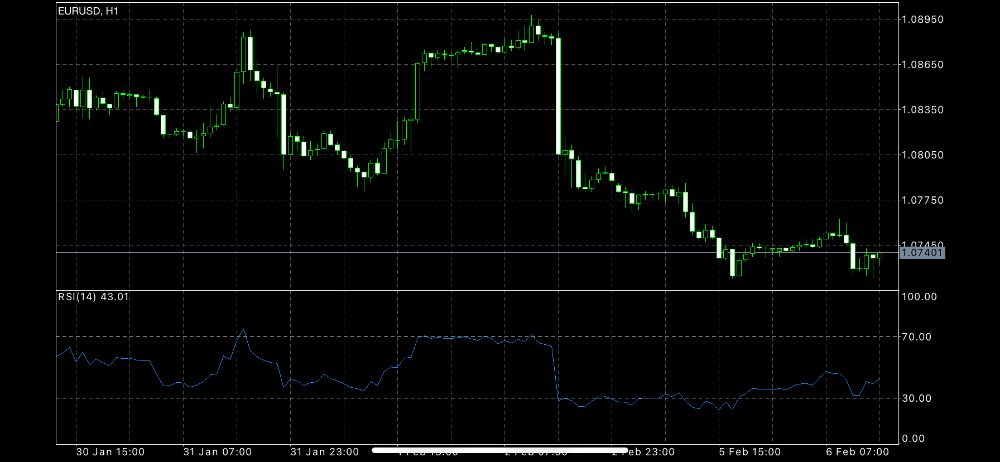
You can compare the charting tools available at our top forex apps below.
| AvaTrade | Plexytrade | NAGA | XM | Trade Nation | |
|---|---|---|---|---|---|
| Charting Rating | |||||
| Charting Platforms | WebTrader, AvaTradeGO, AvaOptions, AvaFutures, MT4, MT5, AlgoTrader, TradingView, TradingCentral, DupliTrade | MT4, MT5, TradeLocker | NAGA Platform, NAGA App, MT4, MT5, TradingView, TradingCentral | MT4, MT5, TradingCentral | TN Trader, MT4, TradingView |
| Visit | Visit | Visit | Visit | Visit | Visit |
| Review | Review | Review | Review | Review | Review |
Order Execution
Opting for a forex app with fast execution speeds is critical, especially for day traders speculating on exotic currency pairs where high volatility can lead to rapid price changes.
We’ve also seen that mobile forex traders, in particular, can face challenges here, with reduced execution speeds stemming from mobile network delays and issues related to the stability of applications.
That’s why we recommend mobile applications with fast and dependable order execution, an assessment we make by reviewing their execution policies and available data on execution times.
You can see whether our top recommended forex apps met our execution benchmarks below.
| AvaTrade | Plexytrade | NAGA | XM | Trade Nation | |
|---|---|---|---|---|---|
| Reliable Order Execution | Yes | Yes | Yes | Yes | No |
| Visit | Visit | Visit | Visit | Visit | Visit |
| Review | Review | Review | Review | Review | Review |
Value-Add Features
Downloading an app that provides additional forex tools aimed at your experience level, strategy requirements or personal preferences can help create an optimal trading environment.
For example, some apps offer education that covers the essentials of forex trading for beginners. eToro excels here, with superb courses on the forex market, strategy guides and risk management.
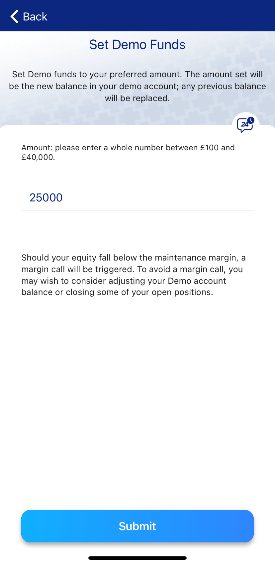
Alternatively, Plus500 is one of the few forex day trading platforms with a mobile app to offer an unlimited demo mode, allowing you to continuously test strategies even after opening a live account.
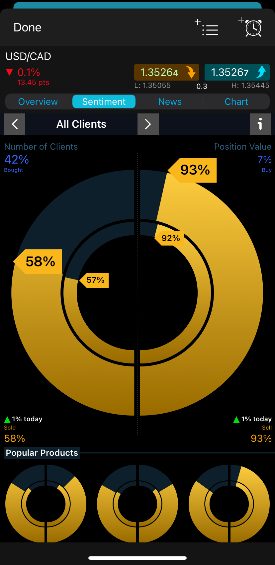
The CMC Markets app is also noteworthy for its well-presented data on client sentiment that displays interest in different currency assets, including in which direction, helping traders discover opportunities.
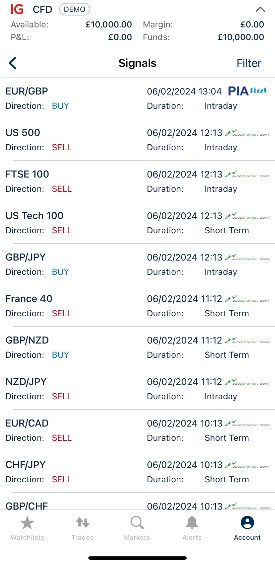
Finally, some apps, such as those from IG, provide live forex signals with trade suggestions. For example, buy the EUR/USD at X price and place a stop limit at Y. Forex signals can be provided free of charge or users may have to pay a small fee, though we’ve seen a lot of scams in this space so be wary when selecting a firm.
You can compare the value-add features at our top forex apps below.
| AvaTrade | Plexytrade | NAGA | XM | Trade Nation | |
|---|---|---|---|---|---|
| Forex Education | Yes | No | Yes | Yes | No |
| Demo Mode | Yes | Yes | Yes | Yes | Yes |
| Forex VPS | No | Yes | No | Yes | No |
| Forex Signals | Yes | – | Yes | Yes | Yes |
| Visit | Visit | Visit | Visit | Visit | Visit |
| Review | Review | Review | Review | Review | Review |
Methodology
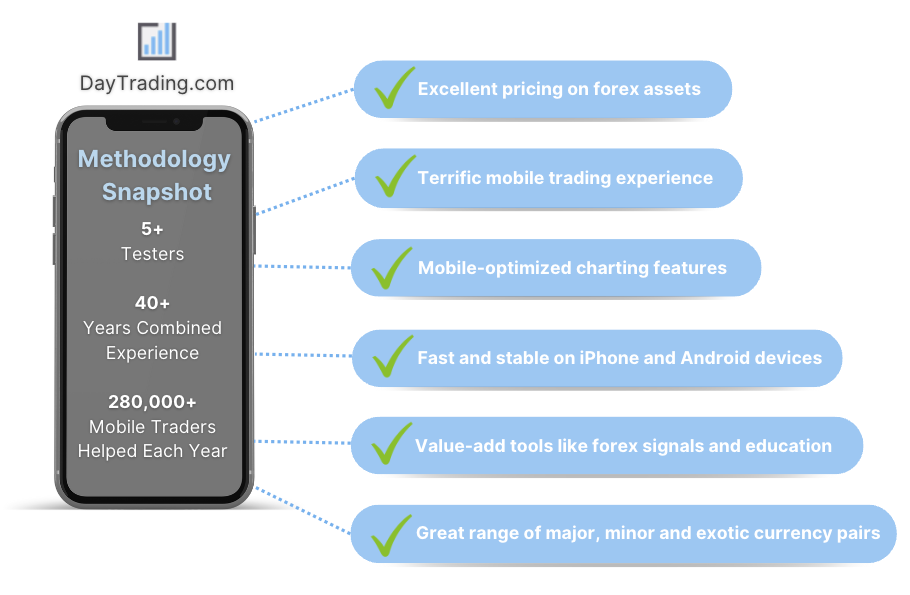
We identified the best forex day trading apps by leveraging our years of industry experience and extensive testing to identify the hallmarks of an excellent app for day trading currencies, outlined below.
Our testing methodology stands out by considering millions of ratings from traders on the Apple App Store and Google Play Store, offering a comprehensive evaluation of forex trading apps that combines the insights of our experts with those of fellow traders.
FAQ
How Do Forex Day Trading Apps Work?
Forex trading apps allow you to speculate on currency pairs from your mobile or tablet device. They are specially designed to optimize the mobile trading experience, often integrating touch controls and with split-screen modes to let you observe two or more FX markets simultaneously.
The latest forex apps are also powered by the cloud, which helps you to access market data, analysis tools and price alerts wherever you are.
Can I Open A Forex Account From An App?
Yes, most forex trading apps allow you to open a live or demo account directly from within the application.
We’ve personally tested dozens of forex apps and most take less than 5 minutes to get started with by following the on-screen instructions.
Are Forex Day Trading Apps Free To Download?
Most forex trading apps can be downloaded free of charge, either through in-house applications from brokers or via supported third-party options like MetaTrader 4, MetaTrader 5, and TradingView.
Forex trading costs, however, whether via spreads or commissions, will be the same on mobile apps as they are on full online trading platforms.
What App Do Most Forex Day Traders Use?
There is no single app that every forex trader prefers. The choice will normally come down to a range of factors, such as costs, speed and reliability.
However, we’ve scoured the Apple App Store and Google Play Store to find the most popular forex apps based on downloads and several stand out: MetaTrader 4 (10+ million), MetaTrader 5 (10+ million), Plus500 (10+ million), Trading212 (10+ million).
What Are The Advantages Of Day Trading Forex From My Mobile?
Forex trading apps offer the convenience of managing trades, analyzing data, and accessing your account from anywhere, eliminating the need for a fixed office setup.
What Are The Risks Of Day Trading Forex From My Mobile?
Trading forex from your mobile has several drawbacks, notably the limited screen size can restrict your ability to monitor multiple charts and positions simultaneously, while distractions from notifications and social media can lead to errors.
We’ve also found that you may have to contend with slower execution speeds due to mobile network latency and app stability issues.
Article Sources
The writing and editorial team at DayTrading.com use credible sources to support their work. These include government agencies, white papers, research institutes, and engagement with industry professionals. Content is written free from bias and is fact-checked where appropriate. Learn more about why you can trust DayTrading.com