

MarketScreener is a financial news and analysis platform that caters to active traders by offering tools and data focused on trends, investment strategies, and technical analysis for US, European, and Asian markets.
It promises to be a ‘one-stop tool’ that provides real-time data, insightful analysis, and effective portfolio management – all in a user-friendly format.
But does it deliver on this promise? In this MarketScreener review, we’ll assess its capabilities, from its real-time data accuracy to the depth of its financial analysis. We also reveal where it falls short, and it does, plus alternatives.
Our Take
- MarketScreener offers detailed insights paired with an intuitive interface that makes navigating complex data easier.
- While some platforms focus on a specific asset class or region, MarketScreener provides a comprehensive view of global markets.
- MarketScreener can be a reasonable tool for gathering real-time quotes and applying automatic indicators to trading charts.
- But it comes with a hefty price tag if you want the data, tools and features that add real value, putting it out of reach of some retail investors.
- Instead, there are free stock screeners that allow active traders to search by various filters, regions, and sectors, with instant access, and without an interface that can get cluttered on MarketScreener.
- Equally, many of the top brokers for research provide live news and technical analysis at no extra cost if you have a live account.
Pros & Cons Of MarketScreener
Pros
- MarketScreener’s approach covers a spectrum of financial markets, including stocks, indexes, commodities, currencies, interest rates, ETFs, and crypto, making it suitable for traders with diversified portfolios.
- The platform provides real-time market quotes, news updates, and automated technical analysis, empowering active traders with immediate insights to make quick and informed decisions.
- The customizable stock screener lets you filter stocks based on numerous criteria, including financial ratios, sector performance, and technical indicators. This flexibility helps you identify opportunities that align with your strategies.
Cons
- While the free version offers access to basic tools, the most valuable features are locked behind paid subscription tiers. Thus, the free offering may feel limited if you don’t want to invest in a premium plan.
- Although the platform provides comprehensive data, the interface can become cluttered when tracking many stocks or assets simultaneously. This can make it harder to quickly find critical information or manage multiple watchlists, especially during fast-paced trading environments.
- The mobile version of MarketScreener is less robust than the desktop platform. Many advanced features, like detailed financial reports or complex screeners, are more challenging to use on a mobile device, making it less convenient if you need full functionality on the move.
MarketScreener Ratings
We performed hands-on tests of MarketScreener in eight key categories and assigned a rating from 0 to 5 (higher is better) for each.
We then averaged these scores to give MarketScreener a commendable overall rating of 3.35/5.
| Category | Rating |
|---|---|
| User Interface & Navigation | 3.5/5 |
| Real-Time Data & Market Insights | 3.75/5 |
| Stock Analysis Tools & Fundamental Data | 4.25/5 |
| News & Research Features | 4.0/5 |
| Portfolio Management | 3.25/5 |
| Community Features & Forums | 0.5/5 |
| Cost & Subscription Plans | 3.75/5 |
| Customer Support & Resources | 3.75/5 |
You can read our detailed findings for each area in the rest of this review.
User Interface & Navigation
3.5/5
When you visit MarketScreener, the amount of data onscreen stands out.
The user interface is relatively intuitive and organized, making navigating the site’s content straightforward. However, the experience is marred by copious advertisements and pop-ups, which are distracting and frankly irritating if you’re using it for long periods.
The homepage presents up-to-date market data – top news, index prices, top movers, and forex/currency prices – all in one glance.
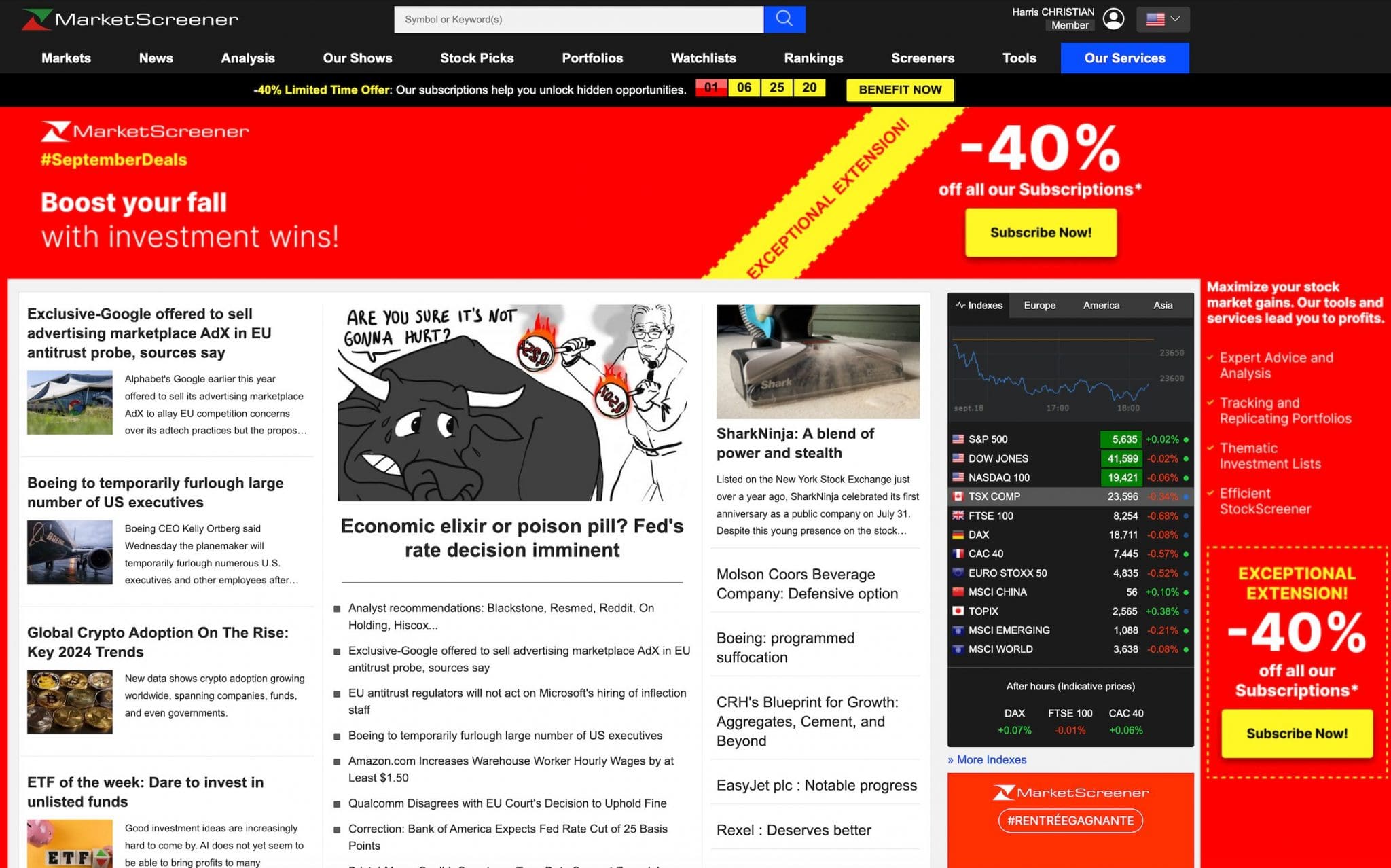
The customization options are beneficial for active traders like me. After registering, I could set up my watchlists with my preferred stocks, and the dashboard provides real-time insights into those assets.
On the downside, the interface feels messy when you start tracking multiple tickers simultaneously. This grinds on you after a while. The filtering tools allowed you to toggle between asset classes like stocks, commodities, and currencies.
While the desktop experience is robust, the mobile version (Apple devices and Android) does leave a lot to be desired.
I’ve used the mobile app for quick market checks on the go, but the functionality is limited compared to its desktop counterpart.
Getting price updates is okay, but I found myself returning to my desktop for deeper analysis during testing.
 Christian HarrisAuthor
Real-Time Data & Market Insights
3.75/5
Real-time data is the lifeblood of short-term trading, and MarketScreener does a reasonable job in this area.
Price updates and market depth insights are reliable, allowing you to act swiftly on market shifts. Whether you’re monitoring pre-market movements or mid-day swings, the platform keeps pace.
The ProRealTime-powered charting tools are also strong, though not necessarily industry-leading. Still, I’ve found the platform’s well-presented charting sufficient for my simplified approach to technical analysis, offering a solid range of popular indicators like volume, moving averages, support and resistance, Bollinger Bands, and RSI.
The zoom and time-range functions work smoothly, and I’ve had no issues customizing charts with the limited drawing tools to fit my trading strategy.
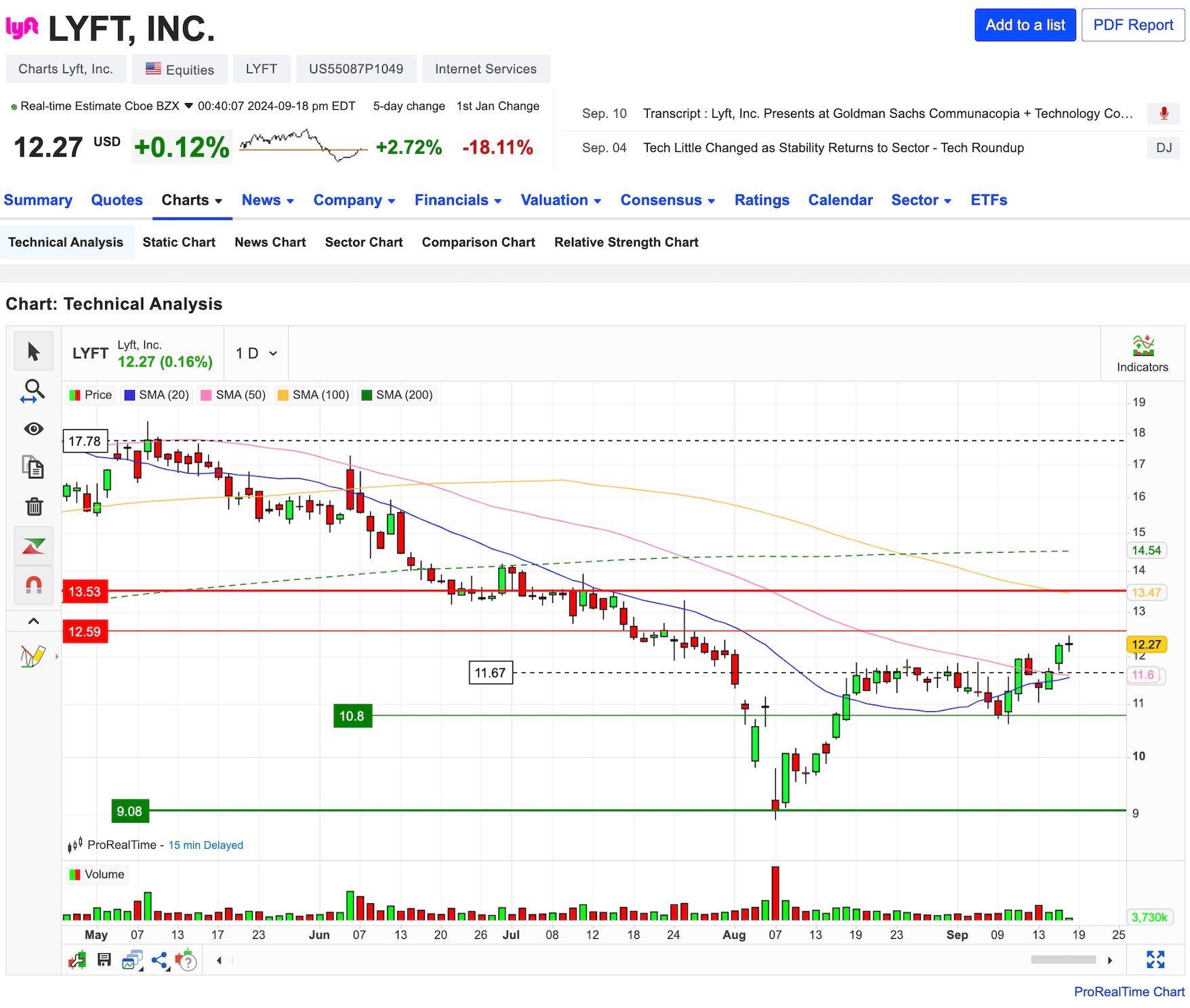
I also utilize comparison tools to compare multiple stocks and indices simultaneously. This visual comparison allows me to quickly assess how different assets perform relative to one another, such as the SPY and QQQ ETFs.
However, if you rely heavily on advanced technical charting features and community-created indicators like those found on platforms such as TradingView, you might find the tools here somewhat basic.
Unlike other charting platforms, there is no price-threshold alert system, though there is some basic news alerts based on your watchlist sent via email.
This is a big disappointment for me because I can’t set up notifications for price movements in the assets I follow to prevent me from missing out on key trades.
However, I’ve activated e-mail alerts on the stocks in my portfolios to be informed of the latest news impacting these stocks.
Christian HarrisAuthorStock Analysis Tools & Fundamental Data
4.25/5
From a fundamental analysis perspective, MarketScreener offers a solid trove of data. It is particularly beneficial when evaluating stocks for swing trades or long-term investments. The flipside being it’s less optimal for day trading.
The platform provides detailed financial reports, valuation ratios, earnings estimates, and analysts’ consensus, all of which help form a well-rounded company view.
The stock screener is another reasonable tool. As someone who regularly runs scans for specific criteria using FinViz – such as undervalued stocks with solid revenue growth – I’ve found MarketScreener’s filtering options to be equally extensive and easy to configure.
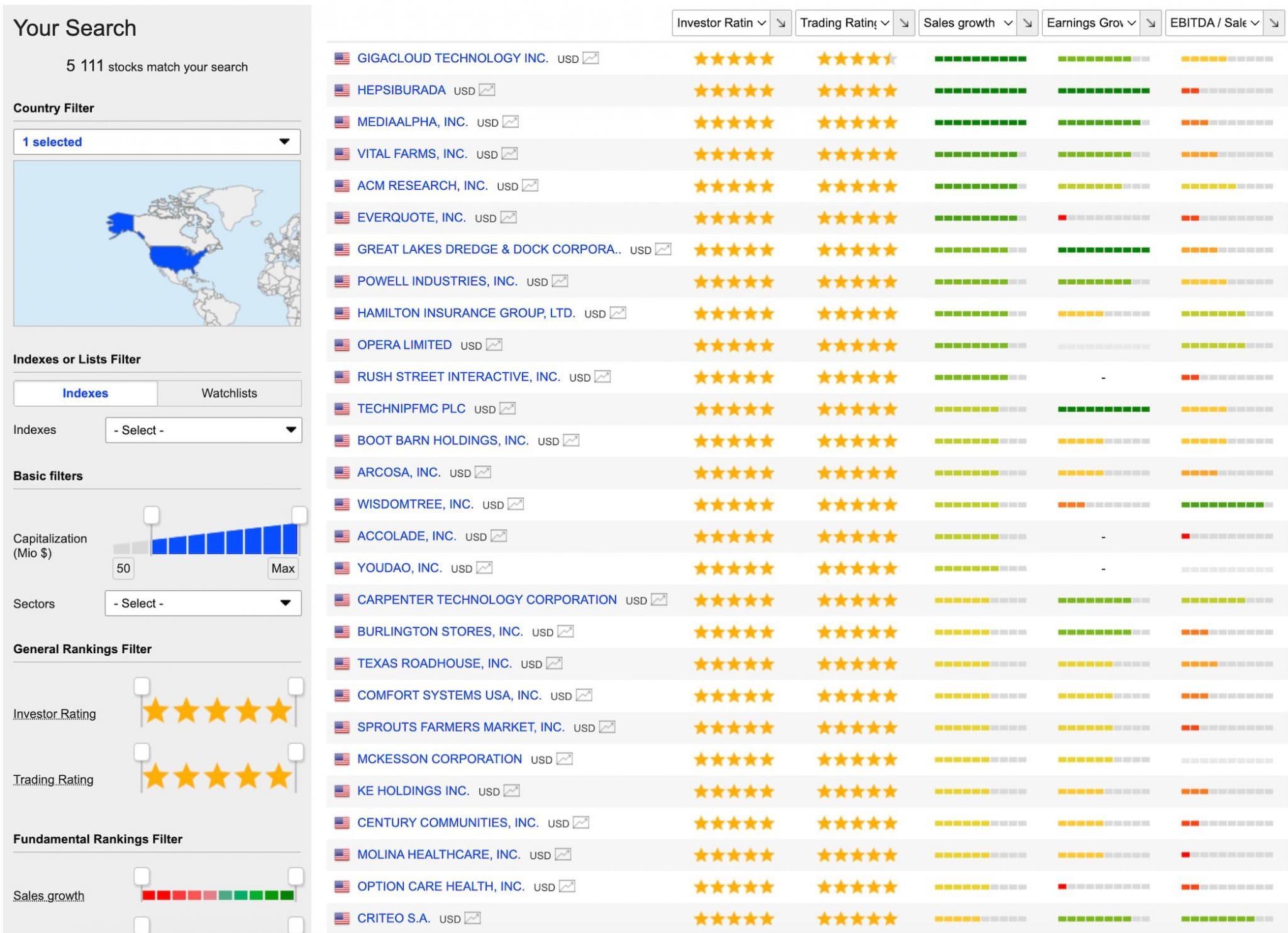
I regularly set up screens based on market cap, sector, valuation metrics, and technical indicators, and the screener performs well, returning relevant results quickly.
Options and derivatives traders can enhance their strategies by utilizing information on options chains, implied volatility, and other relevant derivative data.
One of my favorite features is the analyst rating summaries.
These give a snapshot of how various analysts rate a stock – buy, hold, or sell – along with an average price target. These insights are helpful when confirming research or gauging market sentiment.
However, I do wish there was access to more research tools without committing to a subscription plan. It’s hard to get away from the punchy price when there are so many free options out there, such as brokers with excellent research tools included when you open an account.
Christian HarrisAuthorNews & Research Features
4.0/5
The quality of the news feed is another positive. As an active trader, staying on top of the latest news is crucial, and MarketScreener delivers timely updates, albeit at a slower pace than Investing.com or Yahoo Finance.
Whether it’s breaking earnings reports, geopolitical events, or sector-specific news, MarketScreener’s coverage is fairly comprehensive.
Plus, the way news is integrated into individual stock pages is convenient. Clicking on a ticker brings up the latest related news, which makes researching more efficient.
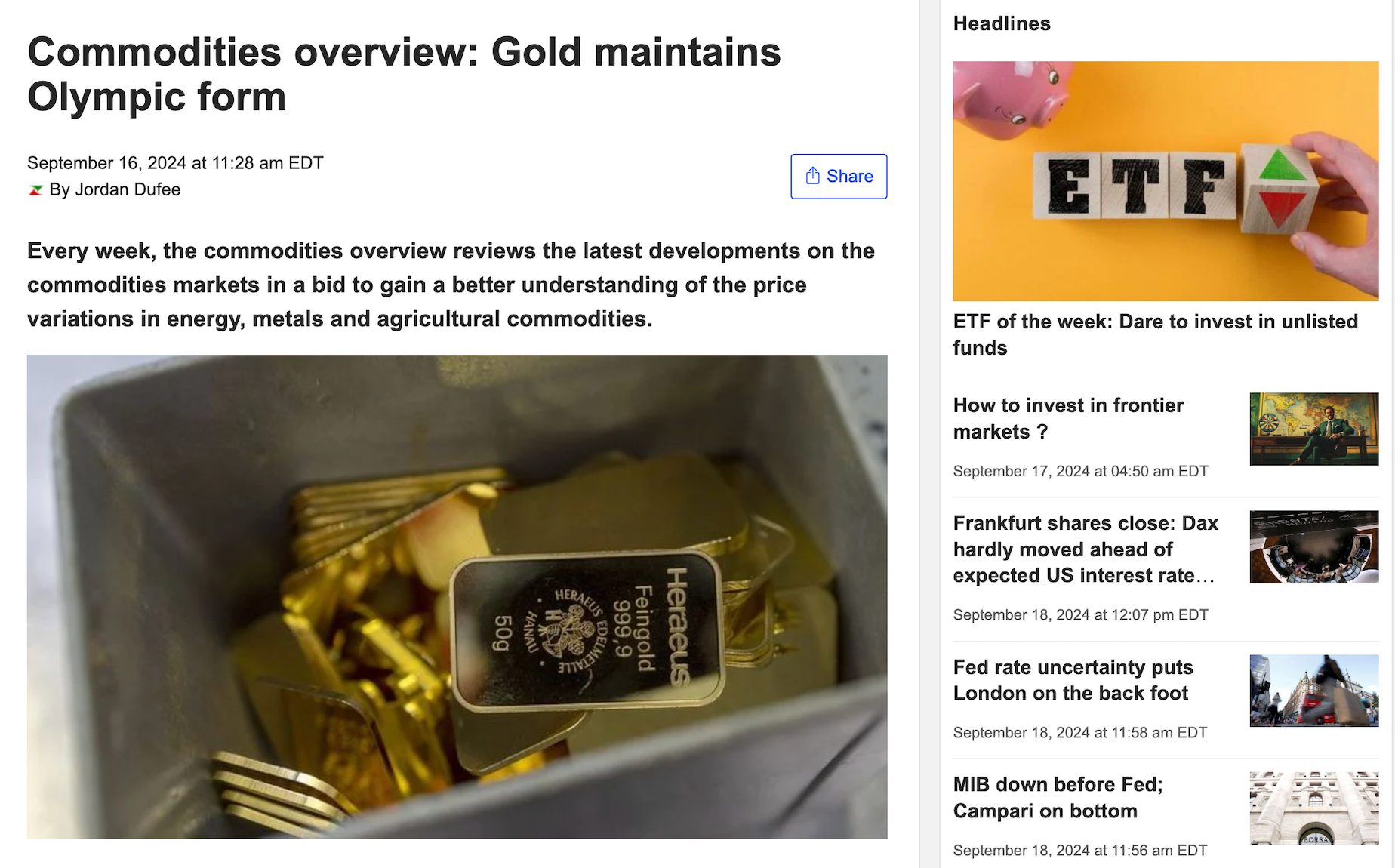
The research reports are insightful, particularly when looking at broader market trends. The platform provides reports on sectors, economic trends, and specific companies, often including detailed forecasts.
These reports have influenced some of my longer-term positions.
However, access to the more in-depth reports tends to be locked behind premium plans, which will be frustrating for traders who rely heavily on free third-party analysis.
Christian HarrisAuthorPortfolio Management
3.25/5
One area where MarketScreener proves useful is portfolio management.
Tracking positions is straightforward, and the platform offers a simple dashboard that shows gains, losses, news about open positions, and a heatmap of your overall portfolio.
However, the range of portfolio tools is basic and doesn’t include risk exposure, beta, or sector allocation.
I have also been frustrated that I can’t track dividends and returns over different periods to help in my long-term planning.
However, viewing real-time changes in a portfolio’s value is critical for short-term traders rather than long-term investors, and MarketScreener does deliver.
Christian HarrisAuthorCommunity Features & Forums
0.5/5
While I don’t spend much time interacting with users on other trading platforms – with the occasional exception being eToro – it’s disappointing that MarketScreener doesn’t offer any community features.
Competitor sites offer a relatively vibrant forum where traders discuss strategies and react to market events.
Beginner traders can pick up trading tips in good communities, especially around lesser-known stocks or emerging sectors.
Unlike TipRanks, MarketScreener also doesn’t blend contributions from retail traders and institutional analysts to give a more rounded view of the market.
Cost & Subscription Plans
3.75/5
MarketScreener operates on a freemium model, with plenty of tools available for free, but the real power lies in the paid tiers. I upgraded to the ‘Premium’ plan reasonably early (around $34/month, $28/month if billed annually). Prices vary depending on the region.
The basic features are enough to get started, but a subscription is necessary for full access to news, stock pick selections, detailed analysis, screener filters, and research reports.
The pricing is reasonable compared to other platforms offering similar levels of data and analysis, but it’s still a chunk out of potential trading profits.
The ‘Premium’ plan has been worth the cost, especially since it helps me stay on top of real-time market movements and longer-term trends.
That said, newer traders may want to use the free version until they’re ready to commit. Equally, they may prefer to stick with free resources provided by most good brokers for active traders.
Christian HarrisAuthorCustomer Support & Resources
3.75/5
Customer support has been a fairly smooth experience during our time using MarketScreener. We’ve had a few questions about platform features and needed help setting up some of the more advanced tools.
The support team were responsive in each instance, typically resolving issues by email within a couple of hours.
There’s no phone number for speaking directly to a support representative, but it’s good to see a callback service should you ever want to talk to a real person.
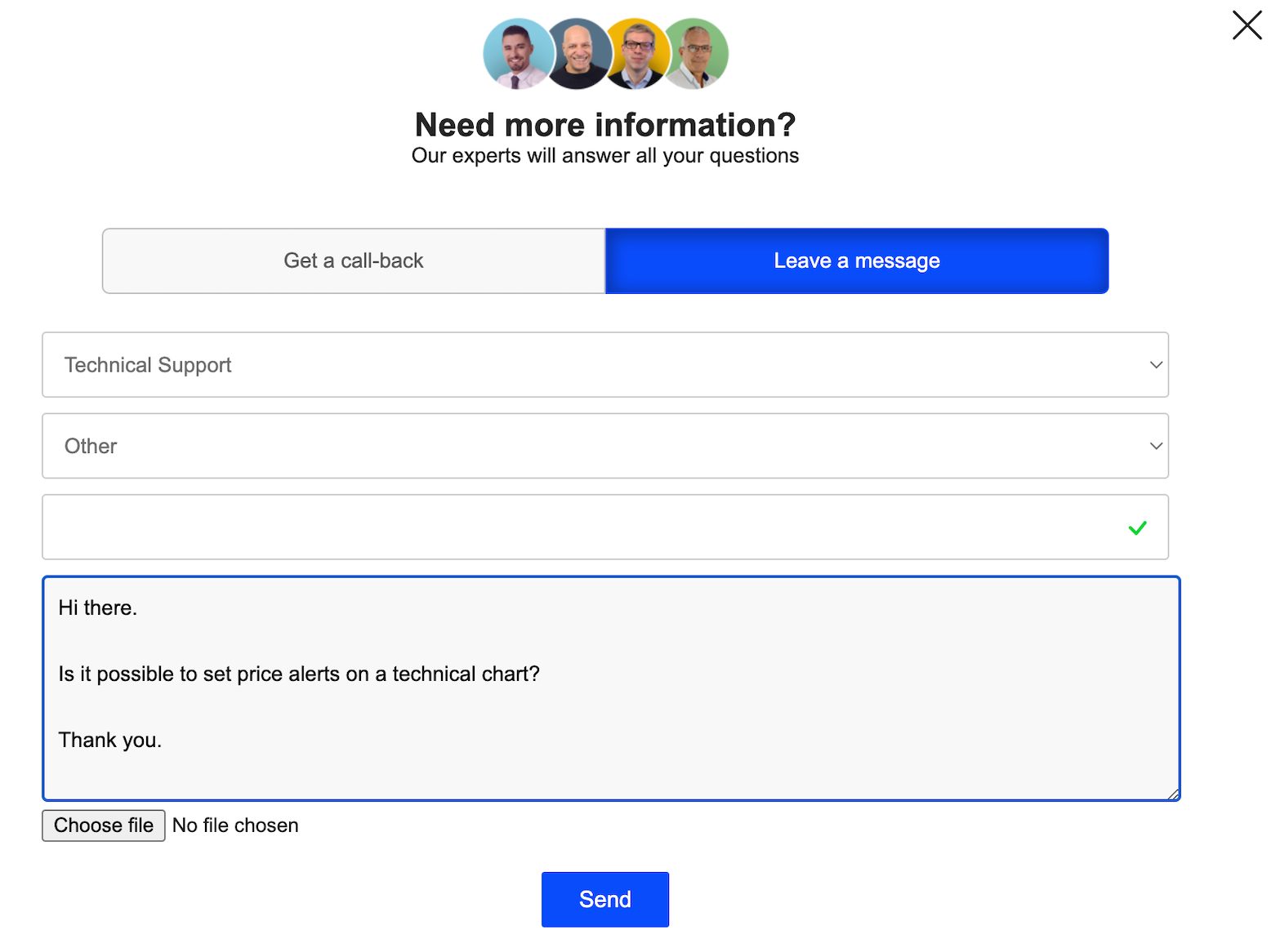
I’ve been surprised to discover the platform doesn’t offer a knowledge base with tutorials and FAQs to help me learn how to use more nuanced features like the screener and alerts.
MarketScreener’s YouTube channel and blog aren’t updated frequently, which is equally disappointing.
Overall, there’s definitely room for improvement in the support department.
Christian HarrisAuthorIs MarketScreener Worth It For Active Traders?
After several months of use, MarketScreener has become a reasonable tool in my trading arsenal. Its combination of real-time data, robust technical analysis, and effective portfolio tracking makes it a solid choice for active trading.
The catch is that the charting tools are less advanced than some competitors, and the mobile experience could be improved, though they have added Android support.
It is also worth remembering that while MarketScreener provides a wealth of data, there may be better trading platforms for beginners seeking in-depth educational resources to help them understand and interpret technical financial information.
FAQ
Is MarketScreener Legit Or A Scam?
MarketScreener is a legitimate financial platform offering real-time market data, in-depth analysis, and investment insights.
Based in Annecy, France, it caters to traders and investors worldwide with free and paid subscription options.
It has a mostly positive industry reputation and no reports suggesting fraudulent activity. Just be aware of the costs for premium features before subscribing.
Is MarketScreener Suitable For Day Trading?
MarketScreener is suitable for day trading thanks to its real-time data and in-depth stock analysis.
Short-term traders can benefit from the platform’s accurate price updates and automatic technical indicators to make quick decisions.
However, its charting tools may not be as advanced as those of other platforms dedicated to day trading, so you might need supplemental tools.
Also, many retail traders can find a lot of the tools and features they’ll actually use at decent online brokers, with some of the paid-for bells and whistles not really needed.
Does MarketScreener Have A Mobile App?
MarketScreener does have a mobile app, but its functionality is more limited than that of the desktop version based on our tests.
The application provides real-time market data, news updates, and essential portfolio management.
However, for more advanced features like detailed charting tools and comprehensive analysis, the desktop version is preferable.