
Best Stock Trading Apps



The best stock trading apps may seem impossible to discern with the current market saturation. Like most things in today’s technology-absorbed world, trading and investments have become an everyday activity via mobile and portable devices.
The top and safest stock trading apps in the world are easy to navigate, secure and offer the full experience found on desktop devices. This guide will discuss some of the best stock trading apps, including those offering penny stocks and virtual trading options. We will also outline how to compare trading applications and the key differences vs desktop trading. Below is a list of our top-rated mobile stock trading apps.
Best Stock Trading Apps
These are the 4 top apps for stock traders based on our findings:
-
1
 Interactive BrokersApps for iOS & Android
 -
2
 MoomooApps for Yes (iOS & Android)
 -
3
 TradeUpApps for iOS & Android
 -
4
 FOREX.comApps for iOS & Android
Here is a summary of why we recommend these brokers in September 2026:
- Interactive Brokers - The IBKR Mobile app, available on both iOS and Android devices, makes your phone a powerful gateway to your IBKR accounts, offering you the freedom to keep an eye on portfolios, initiate trades, and dive into real-time quotes and charts, all while managing your account activities on the fly. This app stands out for its intuitive design, making it especially welcoming for those just starting their trading journey, providing a smoother and more accessible experience than the more complex TWS platform.
- Moomoo - The Moomoo app is part of the core offering. We’ve spent hours using it and it’s feature-rich, with the ability to find and screen assets, conduct market research, check pre-market moves, and place market and pending orders. It’s a step up from most investing apps that focus on the basics but leave you turning to the desktop platform for advanced trading tools. The catch is that with many features the learning curve from our tests was longer than at rivals.
- TradeUp - The TradeUp.com mobile app offers a clean, user-friendly experience that works well for trading on the go. It also provides all the essential tools, including custom watchlists and alerts, which help you stay up-to-date. However, the app limits advanced chart indicator customization, and the occasional notification spam can be distracting during active trading sessions based on our hands-on mobile tests.
- FOREX.com - Running alongside the MT4 and Web Trader platforms, the FOREX.com app offers full trading capabilities on a user-friendly, compact platform. Integrated news and analysis, plus real time trade alerts, are two mobile specific features that set this app above the crowd. Additionally, it beats out MT4 when it comes to mobile charting tools, with over 80 indicators and 11 chart types, not to mention a slicker design that we love.
Best Stock Trading Apps Comparison
| Broker | iOS Rating | Android Rating | Minimum Deposit | Regulators |
|---|---|---|---|---|
| Interactive Brokers | / 5 | / 5 | $0 | SEC, FINRA, CFTC, NFA, CIRO, FCA, CBI, ASIC, SFC, SEBI, JFSA, MAS |
| Moomoo | / 5 | / 5 | $0 | SEC, FINRA, SIPC, MAS, SFC, ASIC, FMA, CIRO, CIPF, JFSA, SC |
| TradeUp | / 5 | / 5 | $0.01 | SEC, FINRA |
| FOREX.com | / 5 | / 5 | $100 | NFA, CFTC |
Community Sentiment
See how users rate these brokers based on the average customer ratings submitted on DayTrading.com, plus ratings from Trustpilot, the Apple App Store and Google Play.
| Broker | Our Users' Rating | Trustpilot Score | Trustpilot Reviews | iOS App Rating | Android App Rating |
|---|---|---|---|---|---|
| Interactive Brokers | 5505 | ||||
| Moomoo | 529 | ||||
| TradeUp | - | 1 | |||
| FOREX.com | 2506 |
Interactive Brokers
"Interactive Brokers is one of the best brokers for advanced day traders, providing powerful charting platforms, real-time data, and customizable layouts, notably through the new IBKR Desktop application. Its superb pricing and advanced order options also make it highly attractive for day traders, while its diverse range of equities is still among the best in the industry."
Christian Harris, Reviewer
Interactive Brokers Quick Facts
| Fractional Shares | Yes |
|---|---|
| Demo Account | Yes |
| Regulator | SEC, FINRA, CFTC, NFA, CIRO, FCA, CBI, ASIC, SFC, SEBI, JFSA, MAS |
| Platforms | Trader Workstation (TWS), IBKR Desktop, GlobalTrader, Mobile, Client Portal, AlgoTrader, OmniTrader, TradingView, eSignal, TradingCentral, ProRealTime, Quantower |
| Minimum Deposit | $0 |
| Automation | Yes |
| Mobile Apps | iOS & Android |
| iOS App Rating | / 5 |
| Android App Rating | / 5 |
| Instruments | Stocks, Options, Futures, Forex, Funds, Bonds, ETFs, Mutual Funds, Cryptocurrencies |
| Account Currencies | USD, EUR, GBP, CAD, AUD, INR, JPY, SEK, NOK, DKK, CHF, AED, HUF |
Stock Exchanges
Interactive Brokers offers trading on 18 stock exchanges:
- Abu Dhabi Securities Exchange
- Borsa Italiana
- CAC 40 Index France
- Chicago Mercantile Exchange
- Euronext
- IBEX 35
- Japan Exchange Group
- Korea Exchange
- London Metal Exchange
- London Stock Exchange
- Nairobi Securities Exchange
- Nasdaq
- Nasdaq Nordic & Baltics
- New York Stock Exchange
- Russell 2000
- Shenzhen Stock Exchange
- Tadawul
- Toronto Stock Exchange
Pros
- The TWS platform has clearly been built for intermediate and advanced traders and comes with over 100 order types and a reliable real-time market data feed that rarely goes offline.
- There's a vast library of free or paid third-party research subscriptions catering to all types of traders, plus you can enjoy commission reimbursements from IBKR if you subscribe to Toggle AI.
- With low commissions, tight spreads and a transparent fee structure, IBKR delivers a cost-effective environment for short-term traders.
Cons
- IBKR was fined $11.8m by the US OFAC in 2025 for providing services in sanctioned jurisdictions. It was also fined $125k by FINRA in 2025 for municipal bond disclosure failures.
- IBKR provides a wide range of research tools, but their distribution across trading platforms and the web-based 'Account Management' page lacks consistency, leading to a confusing user experience.
- You can only have one active session per account, so you can’t have your desktop program and mobile app running simultaneously, making for a sometimes frustrating trading experience.
Moomoo
"Moomoo remains an excellent choice for new and intermediate stock traders who want to build a diverse investment portfolio. What really stands out is the broker's user-friendly app and the low trading fees."
Moomoo Quick Facts
| Fractional Shares | Yes |
|---|---|
| Demo Account | Yes |
| Regulator | SEC, FINRA, SIPC, MAS, SFC, ASIC, FMA, CIRO, CIPF, JFSA, SC |
| Platforms | Desktop Platform, Mobile App |
| Minimum Deposit | $0 |
| Automation | Yes |
| Mobile Apps | Yes (iOS & Android) |
| iOS App Rating | / 5 |
| Android App Rating | / 5 |
| Instruments | Stocks, Options, ETFs, ADRs, OTCs |
| Account Currencies | USD, CAD, AUD, JPY, MYR, HKD, SGD, CNY |
Stock Exchanges
Moomoo offers trading on 5 stock exchanges:
- Australian Securities Exchange (ASX)
- Chicago Mercantile Exchange
- Hong Kong Stock Exchange
- Nasdaq
- New York Stock Exchange
Pros
- The broker offers access to extended pre-market trading hours
- There are reduced options contract fees from $0.65 to $0
- Moomoo is a Member of FINRA and the Securities Investor Protection Corporation (SIPC), adding another level of security for prospective clients
Cons
- The account range is narrow compared to other brokerages in its class with no managed portfolios or robo-advisor solutions
- Moomoo has faced multiple regulatory penalties in recent years, including fines and orders in 2026 that stopped it temporarily accepting some Japanese and Chinese clients
- There is no negative balance protection, which is a common safety feature at top-tier-regulated brokers
TradeUp
"TradeUp is best suited to budget-conscious day traders looking to trade U.S. and global markets (via ADRs) with zero commissions on a user-friendly mobile app. Its more than 250 Chinese American Depositary Receipts (ADRs), including Alibaba Group (BABA), also make it suitable for trading Chinese equities."
TradeUp Quick Facts
| Fractional Shares | Yes |
|---|---|
| Demo Account | Yes |
| Regulator | SEC, FINRA |
| Platforms | Desktop, Web, Mobile |
| Minimum Deposit | $0.01 |
| Automation | No |
| Mobile Apps | iOS & Android |
| iOS App Rating | / 5 |
| Android App Rating | / 5 |
| Instruments | Stocks, Options, ETFs, Bonds |
| Account Currencies | USD |
Stock Exchanges
TradeUp offers trading on 4 stock exchanges:
- Hong Kong Stock Exchange
- Nasdaq
- New York Stock Exchange
- S&P 500
Pros
- TradeUp’s platforms work smoothly across multiple devices based on our tests, including mobile apps for iOS and Android, a desktop app for Windows and Mac, and a web-based platform. This allows active traders to switch between devices without losing continuity, whether you’re at home or on the go.
- TradeUp offers commission-free trading on US stocks and ETFs, and support for fractional shares lets you buy portions of a share for as little as $5.This makes it a cost-effective choice for active day traders who want to minimize trading expenses.
- TradeUp runs an integrated and intuitive financial calendar that helps you track earnings, dividends, and IPOs relevant to your watchlist, enabling you to stay ahead of market-moving events.
Cons
- A 2026 security incident left the personal and financial data of 26,985 users vulnerable, including their Social Security numbers, driver's licenses, passports, and medical information.
- The platform's technical indicators have limited customization options from our use. On both mobile and web versions, you can't layer multiple indicators on the same chart simultaneously, which restricts more sophisticated chart analysis.
- TradeUp does not support popular third-party platforms like TradingView or cTrader, so traders who rely on those for advanced charting, automation, or community features won't find that flexibility.
FOREX.com
"FOREX.com remains a best-in-class brokerage for active forex traders of all experience levels, with over 80 currency pairs, tight spreads from 0.0 pips and low commissions. The powerful charting platforms collectively offer over 100 technical indicators, as well as extensive research tools."
FOREX.com Quick Facts
| Fractional Shares | No |
|---|---|
| Demo Account | Yes |
| Regulator | NFA, CFTC |
| Platforms | WebTrader, Mobile, MT4, MT5, TradingView |
| Minimum Deposit | $100 |
| Automation | Yes |
| Mobile Apps | iOS & Android |
| iOS App Rating | / 5 |
| Android App Rating | / 5 |
| Instruments | Forex, Futures and Options on Metals, Energies, Commodities, Indices, Bonds |
| Account Currencies | USD, EUR, GBP, CAD, AUD, JPY, CHF, PLN |
Stock Exchanges
FOREX.com offers trading on 14 stock exchanges:
- Australian Securities Exchange (ASX)
- Borsa Italiana
- CAC 40 Index France
- DAX GER 40 Index
- Dow Jones
- Euronext
- FTSE UK Index
- Hang Seng
- Hong Kong Stock Exchange
- IBEX 35
- Japan Exchange Group
- Nasdaq
- S&P 500
- SIX Swiss Exchange
Pros
- The in-house Web Trader continues to stand out as one of the best-designed platforms for aspiring day traders with a slick design and over 80 technical indicators for market analysis.
- With over 20 years of experience, excellent regulatory oversight, and multiple accolades including runner-up in our 'Best Forex Broker' awards, FOREX.com boasts a global reputation as a trusted brokerage.
- There’s a wealth of educational resources including tutorials, webinars, and a stacked YouTube channel to help you get educated in the financial markets.
Cons
- There’s no negative balance protection for US clients, so you may find yourself owing more money than your initial deposit into your account.
- Demo accounts are frustratingly time-limited to 90 days, which doesn’t give you enough time to test day trading strategies effectively.
- FOREX.com's MT4 platform offers approximately 600 instruments, significantly fewer than the over 5,500 available on its non-MetaTrader platforms.
What Are Stock Trading Apps?
Before we can compare the best stock trading apps, we should discuss what they are. A stock trading app is a piece of computer software designed to run on a mobile or portable device, such as a phone or tablet. Applications allow users to perform specific tasks while on the go. Today, convenience and accessibility are paramount behind the introduction of apps to the online trading world, gone are the days that investors across the globe were reliant on desktop servers for the latest price movements.
Originating in the 19th century, traders were initially dependent on a printing telegraph using alphabetical characters. In 1867, a modification of the telegraph system was specifically modified for the stock market. This allowed investors access to recent price information without having to be present at a stock exchange. This so-called ‘stock ticker’ was used until the 1960s, before being replaced by computers and data networks.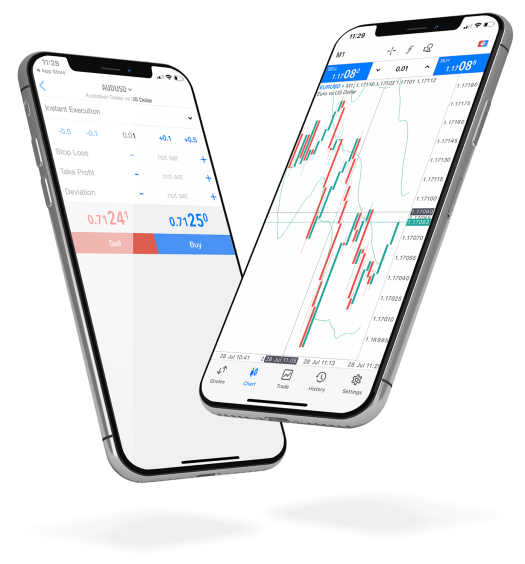
The best apps today for daily stock trading allow investors to access direct-to-market information from devices wherever they are. Traders can access all education, news, transaction history, payment methods and more, directly from a portable device. All that is required is an internet connection. Today they have become an integral part of the modern-day investor.
Even the most experienced traders have welcomed mobile trading to their everyday routines, with the latest information being accessible 24/7. The apps are generally a dialled down version of platforms found on desktop devices. Existing accounts can be connected and used interchangeably between desktops and applications.
Stock Trading Apps Vs Desktop Clients
It is becoming increasingly important for day traders to be continuously active and present, particularly when trading in a highly volatile market. Because of this, there is a growing need for constant access to live investment accounts, 24/7. So, let us understand the main differences between trading with desktop clients vs the best stock trading apps.
Visual Limitations
A desktop monitor will always be the first choice to view technical analysis tools and charts. Subtle details may be more difficult to observe on a stock trading app, particularly when viewing on a smaller smartphone. Interactive charting will be important here. Ensure that the mobile stock trading app of choice allows for zooming, scrolling and resizing where necessary.
Always On
The best stock trading apps allow for complete account management, wherever you are in the world. Gone are the days that trading can only take place whilst sitting at a desk in front of a monitor. Stock trading apps have allowed traders to connect wherever and whenever with just a requirement of a stable internet connection. Set price alerts or notifications to ensure you never miss out on an opportunity again.
Execution
Technology advancements have allowed global brokerages to employ the best server systems. Traders can now access almost instant trade execution speeds from a desktop device. This is not always the case for mobile clients, even on the best stock trading apps, due to the parameters required to select and execute investment orders.
How To Compare The Best Stock Trading Apps
There is an abundance of mobile trading applications available. Choosing the right one can be difficult and there are many factors to consider. Check out the top parameters we recommend comparing below.
Chart Types
Access to mobile charting is vital to succeeding with online stock trading via apps. Those that provide virtual charts with the same level of customisation offered on desktop devices will be superior. The three main types of technical analysis charts are; bar, line and candlestick. These can help you make informed decisions across forex, commodities, stocks and indices markets. Watch out for those apps that provide interactive charting with the ability to drill into information.
Security Technology
Downloading a stock day or long-term trading app adds a security layer as personal details must be registered, reducing the likelihood of hackers. The best stock trading apps use additional password protection options, such as two-factor authentication (2FA). Login options with fingerprints or face identification also provide an additional step to enhance the safety of trading via an app. This is particularly important on a portable device with the additional risk of theft or data privacy hacking. Always log out of trading accounts at the end of a session on a mobile app.
Sophistication
The best stock trading apps will enhance your overall experience, supporting decision-making and guiding informed choices. Mobile trading applications should not bombard traders with information, yet provide easy navigation to materials and data like market updates, trends, news updates and price tickets. App interfaces should offer clear navigation tools with digestible information. It should be simple to trade and view technical analysis tools.
Accessibility
The majority of the popular app providers grant access to both iOS and Android users. Nevertheless, some apps will differ in terms of interfaces. The TD Ameritrade mobile app, for example, has been recognised as falling short of expectations with its inferior APK interface and functionality. It is worth checking reviews to make sure your choice of device won’t impact your access to all the features.
Assets
The best mobile trading apps will provide a variety of tradable instruments and assets across several markets. Being able to access varied trading instruments within one application will be advantageous vs several apps or accounts with different brokers to create a diversified portfolio. Assets may include stock trading, crypto, penny stocks, commodities and more.
Safety
Cybersecurity vulnerabilities are a major concern when using even the best stock trading apps. The safety of the app will be determined by where it is downloaded and the developing institution. Always download applications from recognised names such as Google Play or the Apple App Store. Look out for strong app source characteristics, including well-developed terms of service, a comprehensive troubleshooting FAQs section and easy-to-find contact information. Some of the most secure stock trading apps today include Robinhood and Acorns.
Regulation
As with stock market trading via an online broker, it is best practice to ensure that a mobile app is authorised and regulated by an established financial body. The best stock trading apps in the UK will be regulated by the Financial Conduct Authority (FCA). Under this authorisation, traders can be assured of negative balance protection, access to compensation schemes and data privacy via AML and KYC protocols. Other well-regarded regulators across the world include ASIC and SEC. To qualify for a regulatory license, mobile trading apps must follow stringent security measures aimed at keeping client funds safe.
Execution Speed
The best stock trading apps will provide instant action to allow investors to enter a trade. The execution should be as efficient as trading on a PC device such as a Mac. The payment collection should also be prompt, with instant fund clearance for electronic payments. The fastest trading platforms include TradeStation, Interactive Brokers and TD Ameritrade.
Fees
The top brokers tend to offer a commission-free trading environment. This is great for traders wishing to execute regular investments. The best free stock trading apps for beginners and experienced traders will also not charge non-trading fees. This includes inactivity charges, account maintenance, deposit and withdrawal fees, or an app download charge.
Pros Of Stock Trading Apps
- Accessibility – Using a mobile application only requires an internet connection. Online trading apps allow users to invest, research and analyse while on the go. There is now no need for investors to stay by a PC device for notifications on trade portfolio performance.
- Secure – Downloading the best stock trading apps adds a layer of security. The best stock day trading apps use additional password protection. This can include 2-factor authentication to log in to accounts. Login protection by way of fingerprints or face identification also provides an additional step to enhance the safety of trading via an app.
- Understanding – With a hands-on approach to trading, users of an investment app can access education and analysis details 24/7. Online trading apps reduce the reliance on a broker, meaning investors have full control over decision making. This is a great way for beginners to get learning in the UK and beyond.
- Transaction Speed – The best virtual stock buying and selling apps in the UK and globally often provide instant action to allow investors to enter trades. The payment collection is also prompt, ideal for beginners and experienced traders who are after a quick entry to a trade. Online deposits and withdrawals are available instantly via several payment methods.
Cons Of Stock Trading Apps
- Internet-Dependent – Even the best stock trading apps for mobile devices are fully reliant on an internet connection. If the connection is slow or interrupted for your iPhone or Android device, you could potentially miss out on a significant or lucrative trade
- Security – Trading apps process billions of transactions each year and have access to personal data and payment details. This can make them an attractive proposition to hackers. Check reviews for past security breaches before putting your capital at risk.
- No Break – Having 24/7 access to an online trading platform can also be negative. Some would argue that applications can cause addictive behaviour. Having a mobile application with live streaming price movements and news bulletins can make it difficult to find the right balance.
- Risk Exposure – There can be a lack of risk management when investing in a mobile app. A feeling of disconnect from advisors, brokers or even other experienced investors is apparent on mobile apps. This is particularly risky when trading with leverage. Increasing trading volume without the guidance or expertise of professionals could lead to increased losses.
- Size Limitations – A desktop monitor will always be the best choice from a size limitation perspective. Even the best stock trading platform apps may still be hindered by screen sizes on mobile or tablet devices. It may prove difficult to learn and practise stock trading on a mobile application if analysing price movements from unmagnified charts and graphs. The best stock trading apps to use in this instance would offer interactive charting with personalised viewing options.
Final Word On The Best Stock Trading Apps
Although the best stock trading apps have significant advantages, including constant accessibility, there is a complementary relationship between desktop and mobile platforms. Both offer favourable trading conditions which will result in a better trading environment for certain markets, strategies and users. Be sure to check out our list of 2026‘s best stock trading apps, here.
FAQs
What Are The Best European Stock Trading Apps?
The best stock trading apps for residents in Europe include Saxo Bank and Degiro. Both apps are user-friendly, offer 2-factor authentication and technical analysis tools. These are both available to traders from Germany, UK, Ireland and more in 2026. Global reach includes Australia, Malaysia and UAE.
What Are The Best Stock Trading Apps For Beginners?
The best stock apps for beginners include Webull. It offers a basic investing option with self-directed navigation and automated options.
What Are The Best Stock Trading Apps With No Fees?
Top recognised stock trading apps with commission-free trading options include eToro. Although these offer no trading fees, it is important to understand and compare the other features and costs available.
What Are The Best Stock Trading Apps Available In The USA?
Top-rated trading applications available in the USA include Robinhood, Fidelity and Webull. All offer advanced search functionalities, login security and user-friendly interfaces and navigation systems.