


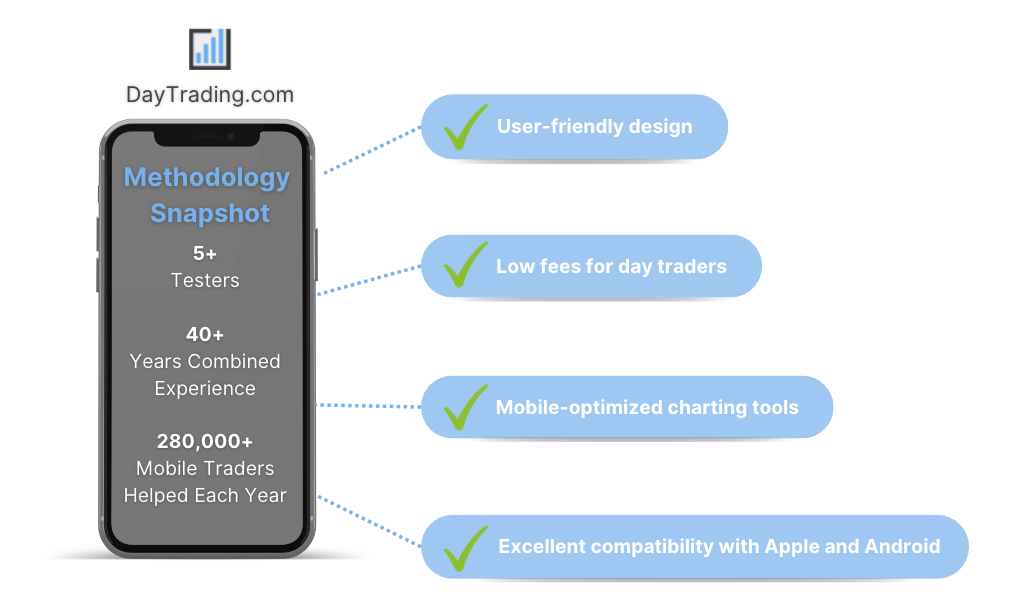
We’ve evaluated countless mobile platforms to bring you our selection of the best day trading apps. Discover the applications that stand out for their:
- User-friendly design
- Low fees for day traders
- Mobile-optimized charts and analysis tools
- Excellent compatibility with Apple and Android devices
But don’t just take our word for it, for each day trading app we scored highly, we’ve also compiled ratings from the Apple App Store and Google Play Store so you can see what other traders think.
6 Top-Rated Apps For Day Trading In 2026
These are the 6 best apps for day trading based on our hands-on tests and in-depth analysis in October 2026:
-
- Mobile Apps: iOS & Android
- iOS App Rating: / 5
- Android App Rating: / 5
73-89% of retail investor accounts lose money when trading CFDs -
- Mobile Apps: iOS & Android
- iOS App Rating: / 5
- Android App Rating: / 5
-
- Mobile Apps: iOS & Android
- iOS App Rating: / 5
- Android App Rating: / 5
-
- Mobile Apps: iOS, Android & Windows
- iOS App Rating: / 5
- Android App Rating: / 5
-
- Mobile Apps: iOS & Android
- iOS App Rating: / 5
- Android App Rating: / 5
-
- Mobile Apps: iOS & Android
- iOS App Rating: / 5
- Android App Rating: / 5
71.28% of retail traders lose money when trading CFDs






Learn how we test brokers and why you can trust our ratings.
What Makes These Apps The Highest Rated For Day Trading?
Here’s a snapshot of why these day trading apps topped our latest tests:
- Pepperstone is the top-rated app for day trading in Australia in 2026 4.8/5 Pepperstone excels for its excellent integration with the MT4, MT5, cTrader, and TradingView apps, making it a standout option for day traders familiar with these leading third-party trading solutions. These platforms deliver a stable and reliable mobile trading experience, enhanced by Pepperstone's almost unrivalled execution speeds and wide range of asset classes. Recent improvements also helped it secure second place in DayTrading.com's annual 'Best Trading App' award for 2025.
- Fusion Markets 4.6/5 Fusion Markets offers seamless integration with the cTrader, MT4, MT5 and TradingView apps, available on Android or iOS. Although we find the design of the MetaTrader app increasingly outdated, detracting from the user experience, it excels for its premium charting package, integrated news stream and push notifications. The cTrader app performed even better during tests, featuring a superior design and an extensive suite of over 70 indictors and 26 timeframes, making it the obvious choice for advanced day traders.
- FP Markets 4.2/5 FP Markets does not provide a proprietary web-based or mobile app, a downside for beginners. However, there are the mobile versions of MT4/MT5, cTrader, and TradingView that offer real-time quotes, advanced charting tools, account management features, and order execution. Australian clients are also exclusively offered access to the Iress mobile platform, which delivers sophisticated features including analytics, module linking, and multiple portfolio management.
- XM 4.8/5 XM offer a mobile app for both Android and iOS that has been specifically tailored to each platform, maximizing the functionality of both. The app delivers the MT4 and MT5 software on the move, with full access to the broker’s 1,400+ instruments. Where they shine is their dependability with minimal glitches and delays during testing. The built-in news, trading journal and push notifications also ensure you have everything you need to day trade from your hand.
- AvaTrade 4.9/5 AvaTradeGO consistently impresses with its comprehensive mobile trading experience, boasting an interface that's not just easy to use, but genuinely intuitive. Navigating the app is a breeze, ensuring fast access to hundreds of markets, including forex, stocks, indices, commodities, ETFs, and bonds. However, what sets AvaTradeGO apart is its AvaProtect™ feature, offering an unmatched level of risk protection that's rare to find elsewhere.
- Eightcap 4.6/5 Eightcap supports the MT4, MT5 and TradingView apps (the only FCA regulated broker offering TradingView), catering to mobile traders looking for advanced charting tools. While we don’t love the increasingly outdated design of the MetaTrader suite, its dozens of technical indicators and drawing tools, multiple charting styles, and straightforward overlays in horizontal mode are excellent. The push notifications and active social network on the TradingView app are also valuable additions for aspiring traders and Eightcap has published helpful videos on connecting TradingView accounts to iOS and Android devices.
Top Day Trading Apps Comparison
Find the top-rated day trading app for you with our detailed comparison of the areas vital to active mobile traders:
| Broker | iOS Rating | Android Rating | Day Trading Markets | Regulators |
|---|---|---|---|---|
| Pepperstone | CFDs, Forex, Currency Indices, Stocks, Indices, Commodities, ETFs, Crypto CFDs, Spread Betting | FCA, ASIC, CySEC, BaFin, DFSA, SCA, SCB, CMA-Kenya | ||
| Fusion Markets | CFDs, Forex, Stocks, Indices, Commodities, Crypto | ASIC, VFSC, FSA | ||
| FP Markets | CFDs, Forex, Stocks, Indices, Commodities, Bonds, ETFs, Crypto | ASIC, CySEC, FSA, FSCA, FSC, SCB, CMA-Kenya | ||
| XM | CFDs, Forex, Stocks, Commodities, Indices, Thematic Indices, Precious Metals, Energies | CySEC, DFSA, FSCA, SCA, FSA, FSC-Belize, FSC-Mauritius, CMA-Kenya, CMA-UAE | ||
| AvaTrade | CFDs, Forex, Stocks, Indices, Commodities, ETFs, Bonds, Crypto, Spread Betting, Futures | ASIC, CySEC, FSCA, ISA, CBI, JFSA, BVI, FSRA/ADGM, AFM, CMA-Kenya, CIRO (via Friedberg Direct) | ||
| Eightcap | CFDs in Forex, Stocks, Indices, Commodities, Crypto | FCA, ASIC, CySEC, FSC, SCB, FSA |
How Safe Are These Day Trading Applications?
Find out how our top apps for day trading protect your funds while managing transactions and trades on the go:
| Broker | Trust Rating | Guaranteed Stop Loss | Negative Balance Protection | Segregated Accounts |
|---|---|---|---|---|
| Pepperstone | ✘No | ✔Yes | ✔Yes | |
| Fusion Markets | ✘No | ✔Yes | ✔Yes | |
| FP Markets | ✘No | ✔Yes | ✔Yes | |
| XM | ✘No | ✔Yes | ✔Yes | |
| AvaTrade | ✘No | ✔Yes | ✔Yes | |
| Eightcap | ✘No | ✔Yes | ✔Yes |
Are the Top Day Trading Apps Good for Beginners?
New traders should choose an app that allow trading with virtual money, alongside other features geared towards beginners:
| Broker | Demo Account | Minimum Deposit | Minimum Trade | Education Rating | Support Rating |
|---|---|---|---|---|---|
| Pepperstone | ✔Yes | $0 | 0.01 Lots | ||
| Fusion Markets | ✔Yes | $0 | 0.01 Lots | ||
| FP Markets | ✔Yes | $0 | 0.01 Lots | ||
| XM | ✔Yes | $5 | 0.01 Lots | ||
| AvaTrade | ✔Yes | $100 | 0.01 Lots | ||
| Eightcap | ✔Yes | $100 | 0.01 Lots |
Are the Top Day Trading Apps Good for Advanced Traders?
Experienced traders should look for sophisticated tools to enhance the mobile trading experience:
| Broker | Automated Trading | VPS | AI | Pro Account | Leverage | Low Latency | Extended Hours |
|---|---|---|---|---|---|---|---|
| Pepperstone | Expert Advisors (EAs) on MetaTrader, cBots on cTrader | ✘No | ✘No | ✔Yes | 1:30 (Retail), 1:500 (Pro) | ✔Yes | ✘No |
| Fusion Markets | Expert Advisors (EAs) on MetaTrader, cBots on cTrader | ✔Yes | ✘No | ✘No | 1:30 | ✔Yes | ✘No |
| FP Markets | Expert Advisors (EAs) on MetaTrader, cBots on cTrader | ✔Yes | ✘No | ✘No | 1:30 (UK), 1:500 (Global) | ✔Yes | ✘No |
| XM | Expert Advisors (EAs) on MetaTrader | ✔Yes | ✔Yes | ✘No | 1:30 | ✔Yes | ✘No |
| AvaTrade | Expert Advisors (EAs) on MetaTrader | ✘No | ✔Yes | ✔Yes | 1:30 (Retail) 1:400 (Pro) | ✔Yes | ✘No |
| Eightcap | Expert Advisors (EAs) on MetaTrader | ✔Yes | ✘No | ✘No | 1:30 | ✔Yes | ✘No |
Compare the Ratings of Top Apps For Day Trading
See how top short-term trading apps rate in key areas after our in-depth tests of their mobile trading capabilities:
| Broker | Trust | Platforms | Assets | Mobile | Fees | Accounts | Research | Education | Support |
|---|---|---|---|---|---|---|---|---|---|
| Pepperstone | |||||||||
| Fusion Markets | |||||||||
| FP Markets | |||||||||
| XM | |||||||||
| AvaTrade | |||||||||
| Eightcap |
Compare Mobile Trading Fees
The cost of trading with a broker will make a big difference over time, especially if you're making frequent mobile transactions. Here's how the top day trading app providers stack up on pricing:
| Broker | Cost Rating | Fixed Spreads | Inactivity Fee |
|---|---|---|---|
| Pepperstone | ✔Yes | $0 | |
| Fusion Markets | ✘No | $0 | |
| FP Markets | ✘No | $0 | |
| XM | ✘No | $5 | |
| AvaTrade | ✔Yes | $50 | |
| Eightcap | ✘No | $0 |
Community Sentiment
See how users rate these brokers based on the average customer ratings submitted on DayTrading.com, plus ratings from Trustpilot, the Apple App Store and Google Play.
| Broker | Our Users' Rating | Trustpilot Score | Trustpilot Reviews | iOS App Rating | Android App Rating |
|---|---|---|---|---|---|
| Pepperstone | 3700 | ||||
| Fusion Markets | 10175 | ||||
| FP Markets | 10359 | ||||
| XM | 3132 | ||||
| AvaTrade | 13597 | ||||
| Eightcap | 3907 |
How Popular Are These Day Trading Apps?
Many traders prefer the most downloaded apps (those with the most users):
Why Day Trade On Your Mobile With Pepperstone?
Pepperstone stands out as a top choice for day trading, offering razor-sharp spreads, ultra-fast execution, and advanced charting platforms for experienced traders. New traders are also welcomed with no minimum deposit, extensive educational resources, and exceptional 24/5 support (18h a day on weekends). Pepperstone's comprehensive package, operating under ASIC regulation, makes them an obvious pick for traders in Australia, where it scooped DayTrading.com's 'Best Aus Broker' annual award for 2025.
 Christian Harris, Reviewer
Pepperstone quick facts
- Mobile Apps
- iOS & Android
- iOS App Rating
- / 5
- Android App Rating
- / 5
- Demo Account
- ✔Yes
- Instruments
- CFDs, Forex, Currency Indices, Stocks, Indices, Commodities, ETFs, Crypto CFDs, Spread Betting
- Minimum Deposit
- $0
- Account Currencies
- USD, EUR, GBP, CAD, AUD, NZD, JPY, CHF, HKD, SGD
Pros
- Award-winning customer support is available via telephone, email or live chat with response times of <5 minutes during testing and friendly agents knowledgeable about its products and trading tools.
- After adding spread betting through TradingView, Pepperstone provides a seamless, tax-efficient trading experience with advanced analysis tools for financial spread bettors in supported countries.
- There’s support for a range of industry-leading charting platforms including MT4, MT5, TradingView, and cTrader, catering to various short-term trading styles, including algo trading.
Cons
- Overnight holding fees are higher than that found with some Market Maker brokers (usually Benchmark + 2.5%). This makes pepperstone an ideal broker for day traders and forex scalpers but less suitable for swing traders who often keep position open overnight.
- Execution may not feel as reliable in fast markets as headline speeds suggest. In our own testing, execution was fast at desired prices, but some community complaints focus on slippage, stop-loss fills and spread-sensitive order triggers during volatile conditions.
- Pepperstone has removed support for several tools that elevated the trading experience for active retail traders, notably Autochartist, Capitalise.ai and a free VPS for qualifying traders (now only pro traders in some countries).
Why Day Trade On Your Mobile With Fusion Markets?
Fusion Markets is a standout option for forex traders looking for excellent pricing with spreads near zero, industry-low commissions and recently TradingView integration. It’s a particularly good broker for Australian traders where the company is headquartered and regulated by the ASIC.
 Jemma Grist, Reviewer
Fusion Markets quick facts
- Mobile Apps
- iOS & Android
- iOS App Rating
- / 5
- Android App Rating
- / 5
- Demo Account
- ✔Yes
- Instruments
- CFDs, Forex, Stocks, Indices, Commodities, Crypto
- Minimum Deposit
- $0
- Account Currencies
- USD, EUR, GBP, CAD, AUD, NZD, JPY, CHF, HKD, SGD
Pros
- Withdrawal processing times have been slashed to under an hour and can be processed 24/7, making it faster and easier for active traders to withdraw any gains.
- Average execution speeds of around 37 milliseconds are noticeably faster than many rivals and can help day traders secure optimal prices in fast-moving markets.
- The range of charting platforms and social trading features is excellent, with MT4, MT5, cTrader and more recently TradingView, catering to a wide range of trader preferences.
Cons
- Fusion Market trails alternatives, notably IG, in the education department with limited guides and live video sessions to upskill new traders.
- While the selection of currency pairs trumps most rivals, the broker's alternative investment offering is average with no stock CFDs beyond the US.
- The demo account expires after 30 days, limiting its potential as a useful trading tool alongside a real-money account.
Why Day Trade On Your Mobile With FP Markets?
FP Markets strikes an ideal balance between affordability and quality for active traders. They’ve managed to keep trading costs low while expanding their investment offering, charting tools, and research features, all while providing excellent support you can rely on for urgent trading queries.
Christian Harris, Reviewer
FP Markets quick facts
- Mobile Apps
- iOS & Android
- iOS App Rating
- / 5
- Android App Rating
- / 5
- Demo Account
- ✔Yes
- Instruments
- CFDs, Forex, Stocks, Indices, Commodities, Bonds, ETFs, Crypto
- Minimum Deposit
- $0
- Account Currencies
- USD, EUR, GBP, CAD, AUD, NZD, JPY, CHF, HKD, SGD
Pros
- FP Markets has integrated top-notch research tools from Trading Central and Autochartist, helping traders identify short-term opportunities based on chart patterns, indicators, and other technical factors.
- AI-powered sentiment analysis, trading signals and real-time NewsIQ research, integrated with MT4 and MT5, has been added via FP Markets Intelligence.
- FP Markets delivers fast and dependable support, available 24/5 with average response times of less than 1 minute during testing.
Cons
- Although Traders Hub provides rich research, notably the Daily Report, Technical Report, Market Insights, and Fundamental Analysis, it needs to widen its daily content variety and keep its forex news updated to match category leaders like IG.
- While pricing in the Raw account is excellent, spreads in the Standard account trail the cheapest brokers with a 1.1-pip average spread on the EUR/USD compared to the 0.8-pip average at IC Markets.
- FP Markets’ Iress platform is only available to clients in Australia. It also primarily emphasizes stock trading over forex trading, and data fees can accumulate rapidly unless you're an active trader or maintain a high-balance account.
Why Day Trade On Your Mobile With XM?
With a low $5 minimum deposit, advanced charting platforms in MT4 and MT5, expanding range of markets, and a Zero account offering spreads from 0.0, XM provides all the essentials for active traders, even earning our ‘Best MT4/MT5 Broker’ award in recent years.
Christian Harris, Reviewer
XM quick facts
- Mobile Apps
- iOS, Android & Windows
- iOS App Rating
- / 5
- Android App Rating
- / 5
- Demo Account
- ✔Yes
- Instruments
- CFDs, Forex, Stocks, Commodities, Indices, Thematic Indices, Precious Metals, Energies
- Minimum Deposit
- $5
- Account Currencies
- USD, EUR, GBP, JPY, ZAR
Pros
- XM has rolled out platform upgrades with integrated TradingView charts and an XM AI assistant, delivering faster execution, smarter analysis, and a sleeker, more intuitive trading experience.
- XM stands out for its commitment to trader education, with a wealth of well-presented resources, including webinars, tutorials, and even real-time trading sessions through XM Live.
- XM’s growing roster of 1,400+ instruments provides diverse short-term trading opportunities, with unique turbo stocks, fractional shares, and more recently thematic indices.
Cons
- XM relies solely on the MetaTrader platforms for desktop trading, so there’s no in-house downloadable solution for a more beginner-friendly user experience with unique features.
- While the XM app stands out for its usability and exclusive copy trading products, the selection of technical analysis tools needs to be improved to meet the needs of advanced traders.
- XM is falling behind the curve by not offering cTrader, which is favored over MetaTrader by some serious traders for its smoother user experience and superior charting package.
Why Day Trade On Your Mobile With AvaTrade?
AvaTrade offers active traders everything they need: an intuitive WebTrader, powerful AvaProtect risk management, a smooth 5-minute sign-up process, and dependable support you can rely on in fast-moving markets.
Jemma Grist, Reviewer
AvaTrade quick facts
- Mobile Apps
- iOS & Android
- iOS App Rating
- / 5
- Android App Rating
- / 5
- Demo Account
- ✔Yes
- Instruments
- CFDs, Forex, Stocks, Indices, Commodities, ETFs, Bonds, Crypto, Spread Betting, Futures
- Minimum Deposit
- $100
- Account Currencies
- USD, EUR, GBP, CAD, AUD, ZAR
Pros
- The WebTrader excelled in our hands-on tests, sporting a user-friendly interface for beginners, complete with robust charting tools like 6 chart layouts and 60+ technical indicators.
- Support at AvaTrade performed excellently during testing, with response times of 3 minutes and localized support in major trading jurisdictions, including the UK, Europe and the Middle East.
- AvaTrade launched AvaFutures to offer low-margin access to global markets, then expanded in 2025 as one of the first brokers to add CME’s Micro Grain Futures, and then later in the year went further by integrating with TradingView.
Cons
- The AvaSocial app is good but not great – the look and feel, plus the navigation between finding strategy providers and account management needs upgrading to rival category leaders like eToro.
- AvaTrade’s WebTrader has improved, but work is still needed in terms of customizability – frustratingly widgets like market watch and watchlists can’t be hidden, moved, or resized.
- While signing up is a breeze, AvaTrade lacks an ECN account like Pepperstone or IC Markets, which provides the raw spreads and ultra-fast execution many day traders are looking for.
Why Day Trade On Your Mobile With Eightcap?
Eightcap delivers in every area for day traders with a growing selection of charting platforms, education via Labs, and AI-powered tools. Now sporting 120+ crypto CFDs, it's also become a stand-out choice for crypto trading, winning our 'Best Crypto Broker' award two years in a row.
Christian Harris, Reviewer
Eightcap quick facts
- Mobile Apps
- iOS & Android
- iOS App Rating
- / 5
- Android App Rating
- / 5
- Demo Account
- ✔Yes
- Instruments
- CFDs in Forex, Stocks, Indices, Commodities, Crypto
- Minimum Deposit
- $100
- Account Currencies
- USD, EUR, GBP, CAD, AUD, NZD, SGD
Pros
- Eightcap added TradeLocker in 2026 for certain regions, marking it out as the best regulated TradeLocker broker, while still delivering Eightcap's ultra-fast execution and low fees for active traders on the charting software.
- With tight spreads from 0 pips, low commission fees, Eightcap provides cost-effective and flexible trading conditions that can accommodate an array of strategies, including day trading and scalping.
- Having excelled across all key areas for day traders, Eightcap outperformed every competitor to win our 'Best Overall Broker' award for 2024, also securing our 'Best Crypto Broker' title for 2025 and 'Best TradingView Broker' for 2025.
Cons
- In spite of an increasing variety of tools, Eightcap doesn't offer industry favorites like Autochartist or Trading Central, which offer cutting-edge charting analytics, live news, and market insights for short-term traders.
- Despite a useful library of educational guides and e-books in Labs, Eightcap still trails IG’s comprehensive toolkit for aspiring traders with its dedicated IG Academy app and 18 course categories.
- Eightcap needs to continue bolstering its suite of 800+ instruments to match category leaders like Blackbull Markets with its 26,000+ assets, featuring a particularly weak selection of commodities.
Where brokers do not offer their own proprietary trading apps, and instead support third-party applications like MT4, MT5 or cTrader, we have shown these ratings from the respective app stores. Also kindly note that ratings from app stores may change.
What To Look For In An App For Day Trading
In recent years, we’ve seen the day trading landscape shift, with more retail investors using smartphones for online trading. In fact, the number of trading app users has risen year-on-year according to Business of Apps.
Application functionality has also improved, where once you could just view portfolios and make basic trades, the best day trading apps today offer the complete package for all types of traders.
However, despite significant investment in app development and varied personal preferences, the key qualities of an outstanding app for day trading remain the same:
We explain these factors and our methodology in detail below…
They Are Easy And Enjoyable To Use
For intraday traders, where every second can count, selecting a day trading app with a user-friendly design that allows for easy navigation is essential.
The ability to quickly analyze data and execute trades with minimal clicks or fuss is a key feature of top apps. Given the trend of apps like Robinhood, which gamify trading with features like digital confetti when you make a trade, it’s important for serious day traders to avoid such distractions.
We assess the usability of day trading apps by evaluating how they balance providing key information for informed trading decisions, without overwhelming users with excessive data. This approach ensures that the apps we recommend offer an optimal user experience, catering to the specific needs of day traders.
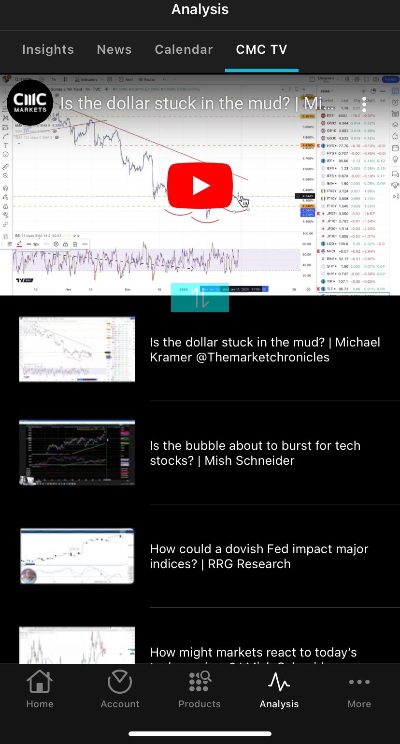
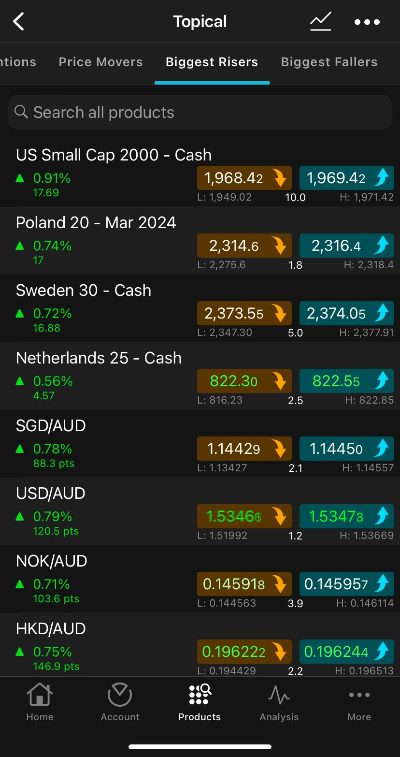
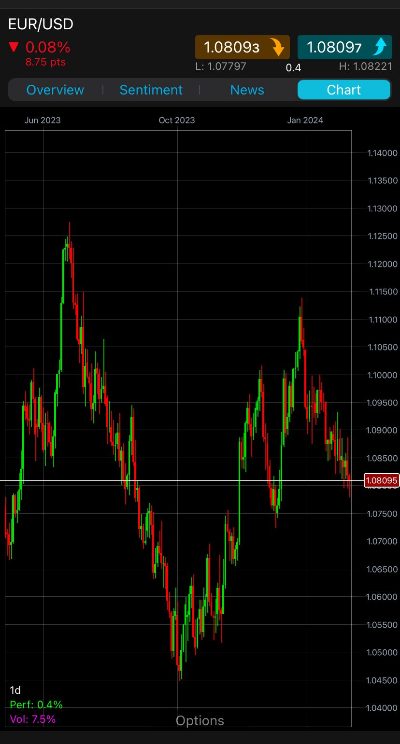
- Our firsthand experience with the CMC Markets app reveals its significant investment in recent years, resulting in an intuitive and user-friendly design that we love. The app simplifies market analysis and trade management for the full spectrum of traders, offering a seamless experience that earned it one of our annual awards.
They Offer The Tools You Need To Day Trade Effectively
From our many years in the industry, we understand that transitioning from desktop to mobile trading platforms often means compromising on functionality, particularly in charting tools, which are vital for day traders.
Therefore, we look for day trading apps that deliver a comprehensive mobile trading experience, including mobile-friendly charts with numerous technical indicators and drawing tools, as well as a complete range of order types.
Additionally, we value standout features such as SMS alerts and push notifications that provide buy and sell signals or important market updates, improving the overall trading experience.
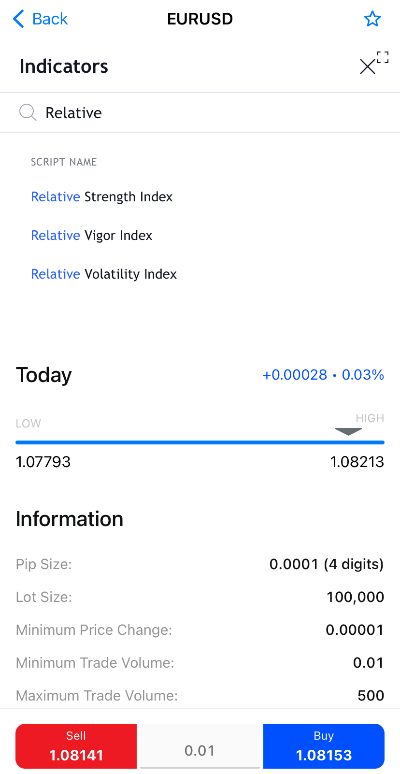
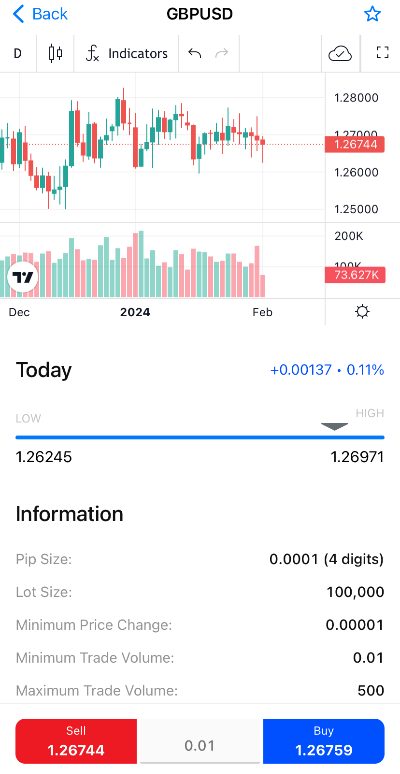
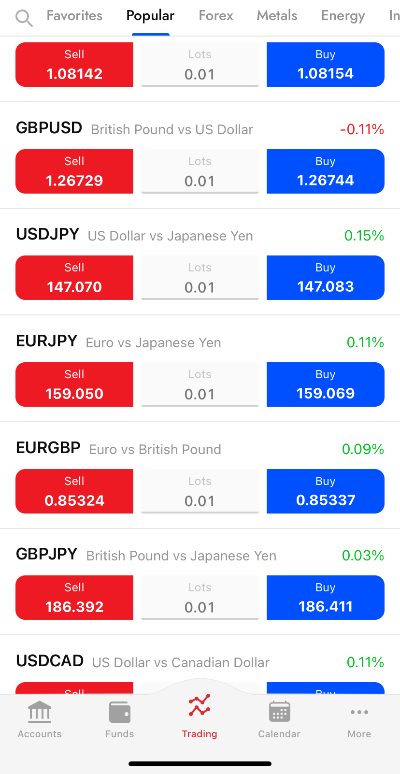
- Our time testing the FxPro app has been excellent, particularly for its advanced yet user-friendly charting functions and huge selection of technical indicators. The mobile interface allows easy customization of charts, and the split-screen feature is a real plus, enabling simultaneous viewing of charts and trading data on one screen.
They Provide Seamless Compatibility With Your Device
We’ve found that while most top day trading apps are available on both the Apple App Store and Google Play Store, their performance can vary between iPhone/iPad and Android devices.
For example, during our analysis, E*Trade scored 4.6/5 on the Apple App Store but only 2.9/5 on the Google Play Store, indicating a less optimal experience for Android users.
Therefore, we prioritize the mobile trading experience on both Apple and Android platforms, blending our own testing observations with feedback from other traders. This approach helps us ensure that the day trading apps we recommend deliver a high-quality experience, regardless of the device.
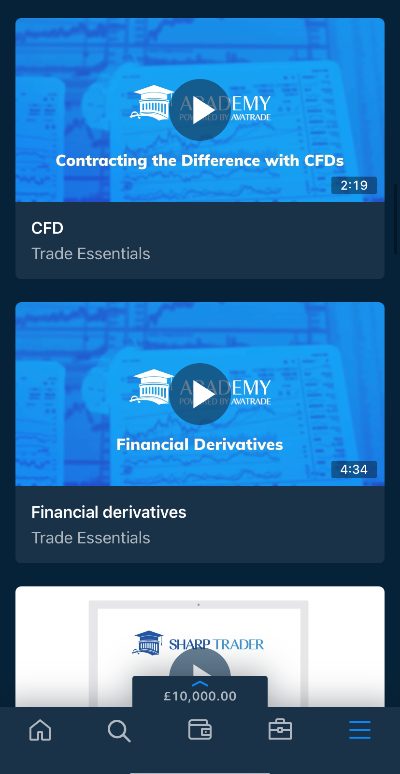
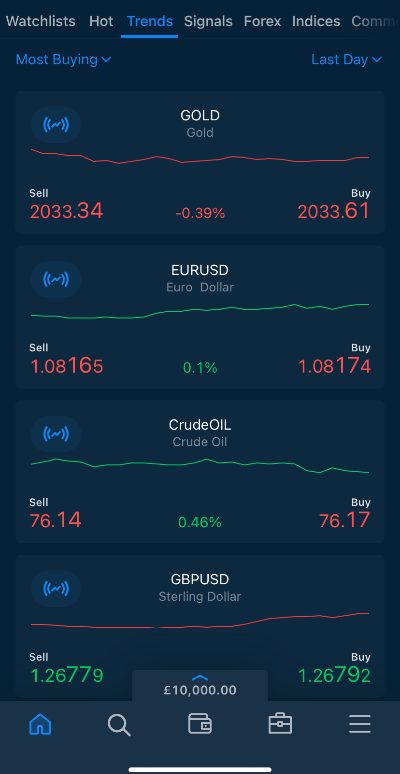
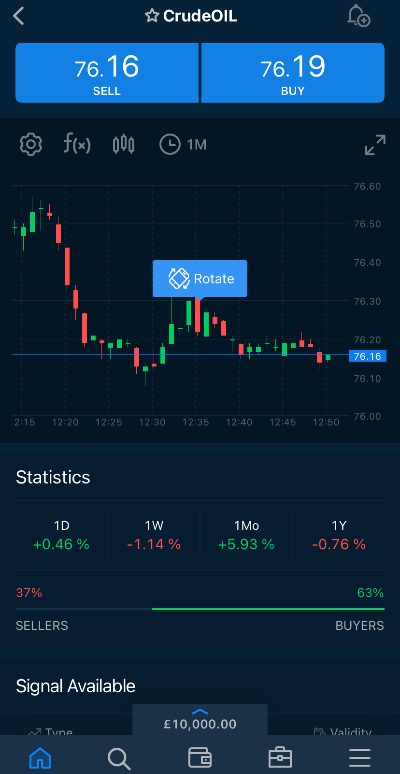
- Our evaluation of AvaTrade solidifies its position as a top-tier day trading app. It impressed us with its smooth and flawless performance during our tests, and this excellence is mirrored in its equally high ratings on both the Apple App Store and Google Play Store.
They Offer Excellent Pricing For Day Traders
It’s vital to select day trading apps with low fees, as this can help maximize profits by reducing the ongoing transaction costs that quickly add up in the high-frequency environment of day trading.
In our hands-on assessments, we carefully review the fees associated with day trading in popular markets like stocks, forex, and commodities.
We also consider the needs of different traders. Beginners, for example, may prefer a commission-free model with variable spreads and zero inactivity fees, keeping pricing simple with no penalties if they choose to stop day trading. On the other hand, experienced day traders often prefer models that feature tight spreads and low, fixed commissions.
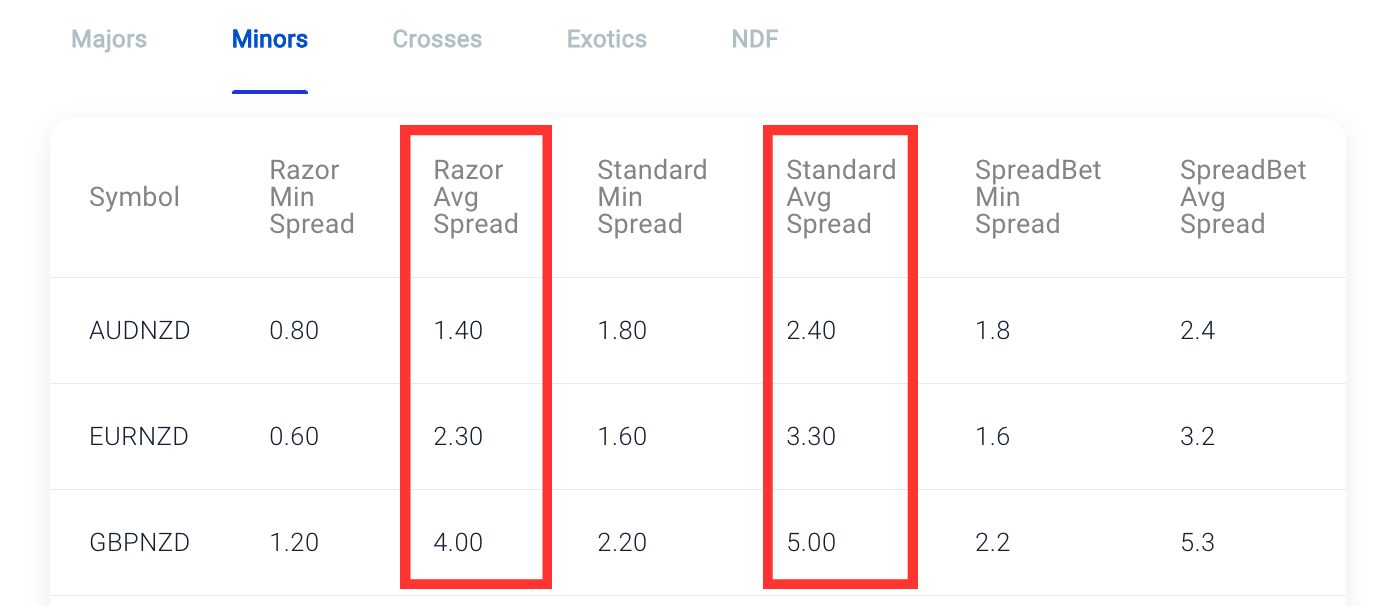
- Pepperstone continues to deliver competitive pricing for day traders. We’ve found the commission-free Standard account to be a decent option for entry-level traders, but it’s the Razor account for experienced traders that really stands out. With average spreads of just 0.3 on the USD/JPY and a reasonable $3.50 commission per lot per side, it’s a particularly attractive choice, especially when combined with the rebate program for active traders.
If you’re still unsure which app to use for day trading, I recommend test-driving a few applications using demo accounts. This will help you find good day trading apps with designs you enjoy, tools you need, low fees, and excellent integration with your mobile or tablet devices.
 James BarraAuthor
FAQ
What Is A Day Trading App?
A day trading app is a downloadable application for your mobile or tablet, allowing you to conduct day trading activities like market analysis, trade execution, and account management.
Some day trading brokers, such as CMC Markets, have built their own apps that offer everything in one package, while other firms, such as IG, have stand-alone apps for different purposes such as trading and education.
There are also brokers, such as Pepperstone, that provide access to popular third-party apps that can be used for charting and day trading, such as MetaTrader 4 (MT4) and MetaTrader 5 (MT5).
For Specific Countries
Article Sources
The writing and editorial team at DayTrading.com use credible sources to support their work. These include government agencies, white papers, research institutes, and engagement with industry professionals. Content is written free from bias and is fact-checked where appropriate. Learn more about why you can trust DayTrading.com