




Bitcoin apps allow users to buy, sell and trade BTC from their mobile devices. Of course, fees, download options, and security vary between applications. Our list of the top Bitcoin trading apps includes detailed reviews of features, prices and customer support. Find out how to start buying and selling Bitcoin with the best solutions on the market.
The Best Brokers For Bitcoin Trading Apps
These are our top 6 apps for trading Bitcoin:
-
- Coins: BTC, ETH, LTC, XRP, BCH
- Crypto Spread: Variable
- Platforms: MT4, MT5, TradingCentral
-
- Coins: BTC, ETH, XRP, SOL, DOGE, ADA
- Crypto Spread: Variable
- Platforms: R StocksTrader, MT4, MT5, TradingView
-
- Crypto Spread: From 0.04%
- Platforms: MT4, MT5, cTrader, TradingView, DupliTrade
- Min. deposit: $0
-
- Crypto Spread: 12 average (Bitcoin)
- Min. deposit: $0
- Regulator: FMA, FSA
-
- Crypto Spread: 114.37 (BTC)
- Platforms: Web Platform, MT4, MT5, TradingCentral
- Min. deposit: $200
-
- Crypto Spread: Variable
- Platforms: MT4, MT5
- Min. deposit: $0






Learn how we test brokers and why you can trust our ratings.
Here is a short overview of each broker's pros and cons
- XM 4.8/5 XM offer a mobile app for both Android and iOS that has been specifically tailored to each platform, maximizing the functionality of both. The app delivers the MT4 and MT5 software on the move, with full access to the broker’s 1,400+ instruments. Where they shine is their dependability with minimal glitches and delays during testing. The built-in news, trading journal and push notifications also ensure you have everything you need to day trade from your hand.
- RoboForex 4.5/5 RoboForex continues to excel with its wide range of iOS and Android-friendly platforms to meet short-term trading needs, including MT4 and MT5. The R StocksTrader app performed particularly well during testing, with a vast selection of stocks and ETFs, portfolio analytics, customizable watchlists, an events tracker, plus a fast and dependable mobile trading environment. The only notable absence in the RoboForex offering is the increasingly popular cTrader app, that's favored by many day traders.
- Fusion Markets 4.6/5 Fusion Markets offers seamless integration with the cTrader, MT4, MT5 and TradingView apps, available on Android or iOS. Although we find the design of the MetaTrader app increasingly outdated, detracting from the user experience, it excels for its premium charting package, integrated news stream and push notifications. The cTrader app performed even better during tests, featuring a superior design and an extensive suite of over 70 indictors and 26 timeframes, making it the obvious choice for advanced day traders.
- BlackBull 4.5/5 BlackBull offers one of the most complete mobile trading ecosystems we’ve seen, providing active traders with first-rate charting tools and the broker’s impress execution speeds of <100ms on a choice of MT4, MT5, cTrader and TradingView apps, catering to diverse preferences.
- Markets.com 4.4/5 The Markets.com app (iOS & Android) delivers a full trading desk in your pocket, with real-time pricing, interactive charts, and one-tap order execution across 2,200+ instruments. It integrates the broker’s proprietary tools, including hedge fund confidence indices, stock alerts, and live market news, so active traders can react instantly while on the go.
- FXCC 4.6/5 FXCC elevates mobile trading with the MT4 app on iPhone, iPad, and Android, perfect for day traders with its reliable, advanced charting featuring 30 indicators, 9 timeframes and 3 chart types. It's incredibly easy to dive into trading on the MT4 app through an FXCC ECN XL account, with just 3 simple steps. The app offers the flexibility to trade a great selection of over 70 currency pairs and other global markets on the go.
Bitcoin Apps Comparison
| Broker | Bitcoin Trading | Minimum Deposit | Spread |
|---|---|---|---|
| XM | ✔Yes | $5 | Variable |
| RoboForex | ✔Yes | $10 | Variable |
| Fusion Markets | ✔Yes | $0 | From 0.04% |
| BlackBull | ✔Yes | $0 | 12 average (Bitcoin) |
| Markets.com | ✔Yes | $200 | 114.37 (BTC) |
| FXCC | ✔Yes | $0 | Variable |
Community Sentiment
See how users rate these brokers based on the average customer ratings submitted on DayTrading.com, plus ratings from Trustpilot, the Apple App Store and Google Play.
| Broker | Our Users' Rating | Trustpilot Score | Trustpilot Reviews | iOS App Rating | Android App Rating |
|---|---|---|---|---|---|
| XM | 3100 | ||||
| RoboForex | 776 | ||||
| Fusion Markets | 10215 | ||||
| BlackBull | 3519 | ||||
| Markets.com | 1258 | ||||
| FXCC | 223 |
XM
With a low $5 minimum deposit, advanced charting platforms in MT4 and MT5, expanding range of markets, and a Zero account offering spreads from 0.0, XM provides all the essentials for active traders.
 Christian Harris, Reviewer
XM quick facts
- Coins
- BTC, ETH, LTC, XRP, BCH
- Crypto Mining
- ✘No
- Auto Market Maker
- ✘No
- Crypto Spread
- Variable
- Crypto Lending
- ✘No
- Crypto Staking
- ✘No
- Platforms
- MT4, MT5, TradingCentral
- Minimum Deposit
- $5
- Regulator
- CySEC, DFSA, FSCA, SCA, FSA, FSC-Belize, FSC-Mauritius, CMA-Kenya, CMA-UAE
- Mobile Apps
- iOS, Android & Windows
- iOS App Rating
- / 5
- Android App Rating
- / 5
- Demo Account
- ✔Yes
- Instruments
- CFDs, Forex, Stocks, Commodities, Indices, Thematic Indices, Precious Metals, Energies
- Account Currencies
- USD, EUR, GBP, JPY, ZAR
Pros
- XM secured a category 5 license from the Securities and Commodities Authority (SCA) of the United Arab Emirates in late 2025, strengthening its regulatory credentials and making it a strong option for traders in the Middle East.
- XM stands out for its commitment to trader education, with a wealth of well-presented resources, including webinars, tutorials, and even real-time trading sessions through XM Live.
- XM has rolled out platform upgrades with integrated TradingView charts and an XM AI assistant, delivering faster execution, smarter analysis, and a sleeker, more intuitive trading experience.
Cons
- While the XM app stands out for its usability and exclusive copy trading products, the selection of technical analysis tools needs to be improved to meet the needs of advanced traders.
- XM relies solely on the MetaTrader platforms for desktop trading, so there’s no in-house downloadable solution for a more beginner-friendly user experience with unique features.
- XM is falling behind the curve by not offering cTrader, which is favored over MetaTrader by some serious traders for its smoother user experience and superior charting package.
RoboForex
RoboForex is great if you want a vast range of 12,000+ day trading markets with ECN accounts, powerful charting and loyalty promotions. It also stands out for stock traders with its user-friendly R StocksTrader platform, featuring 3,000+ shares, fees from $0.01 and sophisticated watchlists.
Christian Harris, Reviewer
RoboForex quick facts
- Coins
- BTC, ETH, XRP, SOL, DOGE, ADA
- Crypto Mining
- ✘No
- Auto Market Maker
- ✘No
- Crypto Spread
- Variable
- Crypto Lending
- ✘No
- Crypto Staking
- ✘No
- Platforms
- R StocksTrader, MT4, MT5, TradingView
- Minimum Deposit
- $10
- Regulator
- FSC
- Mobile Apps
- iOS & Android, R StocksTrader, Telegram Mini App
- iOS App Rating
- / 5
- Android App Rating
- / 5
- Demo Account
- ✔Yes
- Instruments
- CFDs, Forex, Stocks, Indices, Commodities, ETFs, Futures, Crypto
- Account Currencies
- USD, EUR
Pros
- RoboForex offers over 12,000 instruments, providing more short-term trading opportunities than the vast majority of online brokers, with forex, stocks, indices, ETFs, commodities, and futures.
- RoboForex is known for its tight spreads starting from 0 pips and low minimum deposits from $10, making it accessible to those on a budget. The ability to trade with micro lots further lowers the barrier to entry for new traders.
- The R Stocks Trader platform rivals leading solutions like MT4, with netting and hedging capabilities, comprehensive backtesting, Level II pricing, and a flexible workspace.
Cons
- RoboForex now restricts base currency options to USD and EUR. This limitation may inconvenience day traders preferring to manage their accounts in other currencies, while potentially leading to conversion fees.
- While RoboForex offers competitive spreads, some of its account types come with high trading commissions up to $20 per lot, trailing the cheapest brokers, such as IC Markets.
- Despite offering a range of platforms, RoboForex still doesn't support the increasingly popular cTrader. This might deter traders who prefer this specific platform for their day trading activities and is available at firms like Fusion Markets.
Fusion Markets
Fusion Markets is a standout option for forex traders looking for excellent pricing with spreads near zero, industry-low commissions and recently TradingView integration. It’s a particularly good broker for Australian traders where the company is headquartered and regulated by the ASIC.
 Jemma Grist, Reviewer
Fusion Markets quick facts
- Coins
- BTC, BCH, ADA, ETH, LTC, EOS, XLM, DOT, LNK, AVAX, SOL, MATIC, DOGE, BNB
- Crypto Mining
- ✘No
- Auto Market Maker
- ✘No
- Crypto Spread
- From 0.04%
- Crypto Lending
- ✘No
- Crypto Staking
- ✘No
- Platforms
- MT4, MT5, cTrader, TradingView, DupliTrade
- Minimum Deposit
- $0
- Regulator
- ASIC, VFSC, FSA
- Mobile Apps
- iOS & Android
- iOS App Rating
- / 5
- Android App Rating
- / 5
- Demo Account
- ✔Yes
- Instruments
- CFDs, Forex, Stocks, Indices, Commodities, Crypto
- Account Currencies
- USD, EUR, GBP, CAD, AUD, NZD, JPY, CHF, HKD, SGD
Pros
- Fusion Markets offers best-in-class support with very fast, friendly and helpful responses during tests and no frustrating automated chatbot to navigate.
- Average execution speeds of around 37 milliseconds are noticeably faster than many rivals and can help day traders secure optimal prices in fast-moving markets.
- Fusion Markets is set up to support algo traders with a sponsored VPS solution and a 25% discount if you opt for the NYC Servers VPS for MT4 or cTrader.
Cons
- Fusion Market trails alternatives, notably IG, in the education department with limited guides and live video sessions to upskill new traders.
- The demo account expires after 30 days, limiting its potential as a useful trading tool alongside a real-money account.
- There is no proprietary trading platform or app built with beginners in mind, a notable drawback compared to AvaTrade.
BlackBull
After improving its trading infrastructure with Equinix servers in London, reducing latency for traders, BlackBull is an obvious choice if you want to day trade stock CFDs with ECN pricing. With competitive spreads and no commission on a growing roster of digital tokens paired with USD, BlackBull also works for active crypto traders.
Christian Harris, Reviewer
BlackBull quick facts
- Coins
- BTC, ETH, SOL, XLM, XRP, BCH, ADA, SUI, TRUMP, LNK, DOT, DOGE, AAVE, AXS, HED, LTC, TRX, UNI, PYTH, ARB, BNB, AVAX, NEAR, ILV, ATM, INJ, POLY
- Crypto Mining
- ✘No
- Auto Market Maker
- ✘No
- Crypto Spread
- 12 average (Bitcoin)
- Crypto Lending
- ✘No
- Crypto Staking
- ✘No
- Platforms
- BlackBull Invest, BlackBull CopyTrader, MT4, MT5, cTrader, TradingView, AutoChartist
- Minimum Deposit
- $0
- Regulator
- FMA, FSA
- Mobile Apps
- iOS & Android
- iOS App Rating
- / 5
- Android App Rating
- / 5
- Demo Account
- ✔Yes
- Instruments
- CFDs, Stocks, Indices, Commodities, Futures, Crypto
- Account Currencies
- USD, EUR, GBP, CAD, AUD, NZD, JPY, ZAR, SGD
Pros
- BlackBulls’s research is superb, especially the daily ‘Trading Opportunities’ articles that break down complex market movements into easy-to-understand insights, making it simpler to capitalize on emerging trends.
- After partnering with ZuluTrade and Myfxbook, alongside improvements to its own CopyTrader, and finally enabling cTrader Copy, BlackBull offers one of the most comprehensive copy trading experiences we've seen.
- BlackBull offers every ingredient for day traders; fast execution speeds of <100ms and tight spreads from 0.0 pips.
Cons
- Despite a growing selection of 2,180+ assets, including additions to its Asia Pacific indices, they are mainly stocks with an average selection of currency pairs and indices.
- Although the Education Hub now features improvements like webinars and tutorials, the courses we’ve explored need more focus on explaining the wider economic factors influencing prices.
- Unlike most top brokers, BlackBull charges an irritating $5 withdrawal fee, which can detract from the overall cost-effectiveness, especially for active traders who frequently move funds.
Markets.com
Markets.com is best suited to retail investors who trade frequently but don’t want to calculate commissions, thanks to its spread-only pricing (EUR/USD around 1.3 pips). It especially appeals to short-term traders who value fast execution, flexible asset choice spanning 2,200+ instruments and proprietary tools like hedge fund confidence indices and insider trade alerts.
Christian Harris, Reviewer
Markets.com quick facts
- Coins
- XLM, PENGU, BTC, XTZ, SNX, YFI, TRX, HLP, HIVE, VAULTA, CRV, RSR, BAT, AAVE, VANA, VIRTUAL, XRP, DOGE, LTC, SKY, XMR, ADA, BCH, DASH, AVAX, BGB, PI, ETH, WLFI, TON, ZRX, SOL, DOT, LINK, UNI
- Crypto Mining
- ✘No
- Auto Market Maker
- ✘No
- Crypto Spread
- 114.37 (BTC)
- Crypto Lending
- ✘No
- Crypto Staking
- ✘No
- Platforms
- Web Platform, MT4, MT5, TradingCentral
- Minimum Deposit
- $200
- Regulator
- ASIC, CySEC, FSCA, BVI FSC
- Mobile Apps
- iOS, Android
- iOS App Rating
- / 5
- Android App Rating
- / 5
- Demo Account
- ✔Yes
- Instruments
- CFDs, Forex, Stocks, Commodities, Indices, Crypto, ETFs, Bonds
- Account Currencies
- USD, EUR, GBP, AUD, ZAR, SEK, NOK, DKK, CHF, PLN, CZK
Pros
- Markets.com’s Hedge Fund Confidence and Insider Trading tools pulls SEC filings into the dashboard within 24 hours of disclosure, helping to spot fund moves and C-suite buys before most retail newsfeeds updated.
- Switching between the proprietary web platform (great for alerts and quick analysis) and MT5 (strong for algorithmic EAs) was smooth in our tests; positions synced across desktop, web, and mobile without gaps or re-quotes.
- Within the 2,200+ CFDs, Markets.com offers thematic baskets like the Warren Buffett Blend and Cannabis Blend, which behaved like ready-made mini-ETFs during testing, saving the work of balancing weights manually.
Cons
- While CySEC and FSCA oversight is solid, the SVGFSA and BVIFSC entities offers 1:500 leverage under a light-touch framework, meaning protections like compensation schemes and strict conduct rules lag behind the strictest regulatory standards.
- The proprietary web platform felt a bit basic once we pushed into advanced charting with fewer drawing/indicator options than full TradingView or MetaTrader.
- Inactivity charges kick in after just 3 months, while variable spreads are wider than top ECN brokers during testing, which may deter day traders and high-frequency traders.
FXCC
FXCC continues to prove itself an excellent option for day traders with a particularly strong selection of 70+ currency pairs, ultra-tight spreads from 0.0 pips during testing, and a free VPS for qualifying traders.
Jemma Grist, Reviewer
FXCC quick facts
- Coins
- BTC, BCH, ETH, LTC, XMR, DASH, XRP, ALG, ATO, AVE, AVX, AXS, BNB, BSV, CKE, DOT, ENJ, FTM, LNK, MEL, MNA, MTC, SHB, SND, SNX, SOL, TRP, UNI, WAV, XTZ, YFI
- Crypto Mining
- ✘No
- Auto Market Maker
- ✘No
- Crypto Spread
- Variable
- Crypto Lending
- ✘No
- Crypto Staking
- ✘No
- Platforms
- MT4, MT5
- Minimum Deposit
- $0
- Regulator
- CySEC, MISA
- Mobile Apps
- iOS & Android
- iOS App Rating
- / 5
- Android App Rating
- / 5
- Demo Account
- ✔Yes
- Instruments
- CFDs, Forex, Stocks, Indices, Metals, Energies, Crypto
- Account Currencies
- USD, EUR, GBP, CAD
Pros
- The free VPS for qualifying traders and the ability to build or buy EAs on MetaTrader make FXCC a strong option for algo traders.
- FXCC has stepped up its offering over the years, adding MT5 to its suite of platforms, hundreds of stocks and more cryptos to its product line-up, plus a copy trading feature and greater margin trading opportunities.
- Customer support still relies on human agents with response times of under three minutes on live chat during our tests and knowledgeable reps - a welcome break from the frustrating AI chatbots increasingly offered by brokers.
Cons
- Although regulated by the CySEC, FXCC’s offshore entity operates with weak regulatory oversight from MISA and may not provide safeguards like investor compensation in the event of broker insolvency.
- Although FXCC has bolstered its range of markets with US, European and Asian stocks, the choice of metals and energies is light, and there are no soft commodities.
- Although the economic calendar has benefited from a facelift, FXCC still offers very little in terms of market research beyond basic daily technical analysis and aggregated market news, with no tools like Autochartist or social sentiment data.
What Is A Bitcoin App?
A Bitcoin app is simply a mobile application that facilitates the purchasing and selling of Bitcoin. With some solutions, you can exchange fiat currency for BTC while with others you can buy and sell Bitcoin using other cryptos.
The best solutions let you monitor prices in real-time and make predictions on the world’s largest digital currency by market cap. Most Bitcoin apps are also available 24/7. Top applications usually display a complete list of buy and sell orders, allow you to manage your Bitcoin investment portfolio, and set up mobile notifications and alerts.
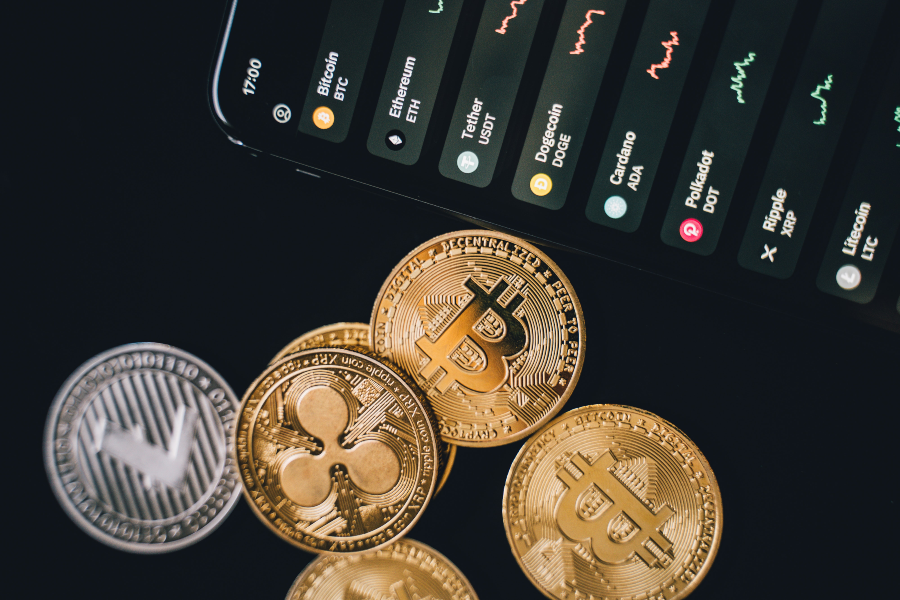
As well as Bitcoin trading apps, there is a range of other free BTC revolution applications that serve multiple purposes:
- Game apps – Earn Bitcoin by playing games
- Shopping apps – Purchase new stock items with BTC
- Wallets apps – Store your BTC safely in a digital wallet
- Gambling apps – Gamble in online casinos using your Bitcoin
- News apps – These aggregate BTC market news from various sources
- Video apps – Get paid in Bitcoin to watch videos, similar to survey apps
- Mining & generating apps – These apps generate Bitcoin onto the legitimate blockchain ledger
- Chatting apps – Connect with fellow Bitcoin traders on news announcements, trends and strategies
These types of Bitcoin apps are generally available to download on iPhone (iOS) from the Apple store and Android (APK) on Google Play.
How A Bitcoin App Works
Some apps allow you to purchase Bitcoin directly from a platform, while other exchanges require you to connect and deposit with an e-wallet.
Centralised exchanges are the most common type with big names like Coinbase and Gemini. These apps work as private companies that offer a platform to trade Bitcoin. Generally, these are more secure as they have a registration, identification and KYC verification process. They also run on their own private servers and store funds within the company’s custodial wallet.
The downside is that if servers are compromised, the whole system could be shut down and user information plus funds could be lost. With that said, top-rated platforms are relatively secure and provide some form of insurance for traders. These exchanges usually come with high trading volumes and the lowest fees.
Best Bitcoin App
Coinbase
Coinbase is a top-rated Bitcoin trading app. The mobile application is the best place for crypto beginners with easy access to the world’s leading digital currency. It has a really simple user interface with a Bitcoin learning program that pays members in cryptocurrencies to get upskilled. The app offers Bitcoin (BTC), Bitcoin Cash (BCH), Ethereum (ETH), Ethereum Classic (ETC), Litecoin (LTC), Basic Attention Token (BAT), among others.
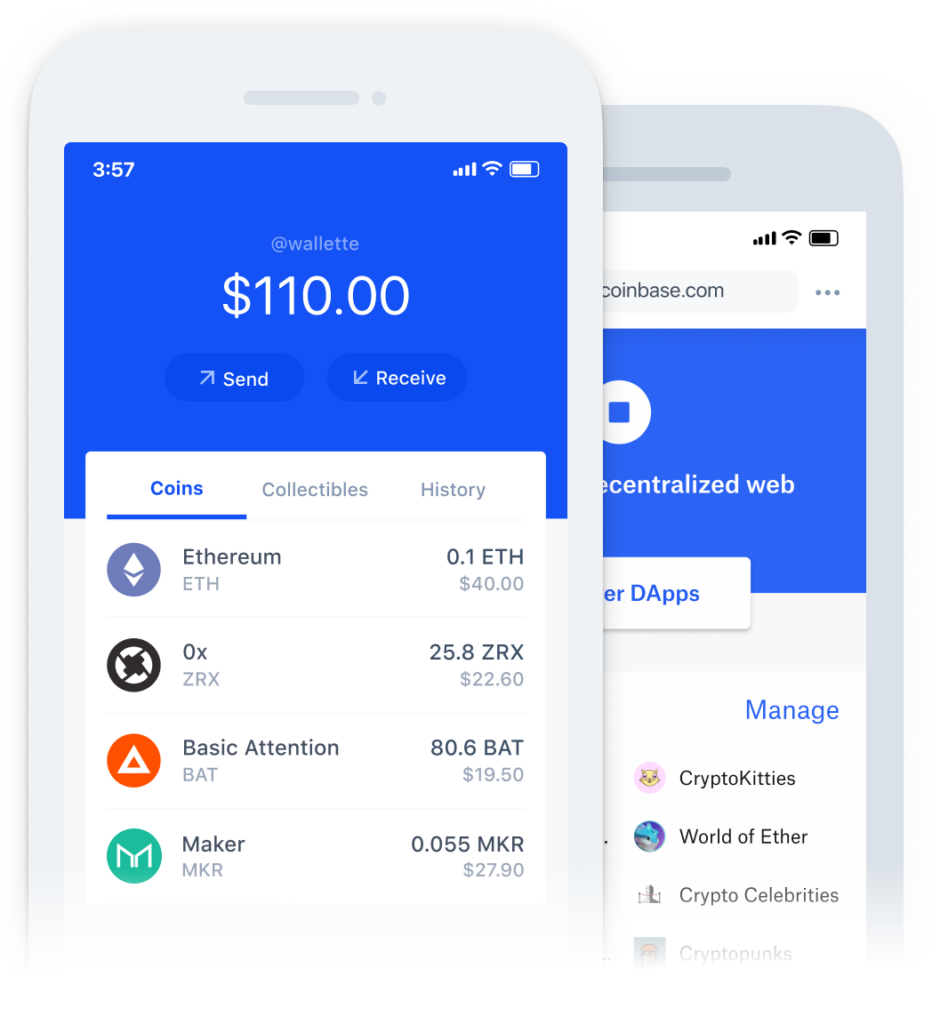
A drawback to the Coinbase Bitcoin apps is the complicated fee structure. It imposes a range of fees for debit/credit card transactions, crypto conversions and bank account charges. In addition, Coinbase typically charges 0.50% for the purchase and sale of Bitcoin below $10,000 in value.
Coinbase Pro is a free app built for experienced Bitcoin investors with all the advanced tools to trade on the go, including:
- Advanced order forms
- Limit and market orders
- Crypto portfolio overview
- Real-time candles, depth charts, and order book
Fees on Coinbase Pro are much more competitive than the standard Coinbase solution. It charges a maker/taker fee, which ranges from 0 to 0.5% depending on the trading volume and order type.
The apps are available on iOS and Android and you can contact customer support by submitting a request via email.
Other Top Bitcoin Apps
Cash App
Unlike the traditional Bitcoin apps above, Cash App is a decentralised exchange. It is primarily known for its peer-to-peer money transfer service, however, users can also buy and sell Bitcoin. You can track the price of BTC in real-time and buy as little as $1 of Bitcoin straight from your account.
Cash App charges two kinds of fees for trading Bitcoin: a service fee for each transaction and an additional fee determined by price volatility. The service also charges 3% when making Bitcoin payments via a linked credit card.
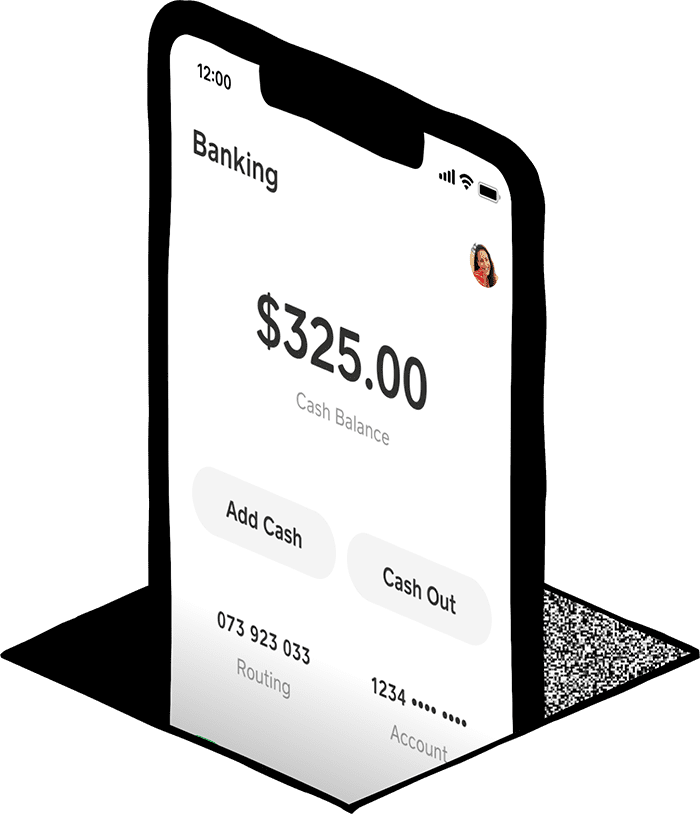
Users can contact a customer support representative through the app or by calling 1 (800) 969-1940. The apps can be downloaded on the App Store for iPhone users and Google Play for Android.
Bisq
Bisq is also a decentralised exchange with trading taking place through a global peer-to-peer network. The Bisq mobile app sends notifications from the desktop solution to your mobile device. Users can get trading, price and offer alerts on the app.
Fees on Bisq are paid in BTC or the network’s native crypto coin, BSQ. The cost to trade one Bitcoin is 0.10% on the maker side and 0.70% on the taker side. Paying in BSQ is much cheaper, with 0.05% on the maker side and 0.35% on the taker side.
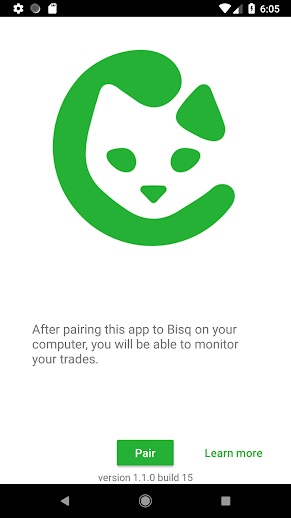
Unfortunately, Bisq does not have an official customer support team. However, there are other ways to chat with the Bisq community, including via Reddit, Twitter or Telegram.
You can download the Bisq mobile notification app on iOS and Android.
Final Word On Bitcoin Apps
It’s never been easier to invest in the largest crypto by market cap with a host of Bitcoin trading and converter apps available on the market. They allow for the instant purchase and sale of Bitcoin with a suite of analysis features and funding options. Before you download a Bitcoin app, it’s worth thinking about whether you want a comprehensive trading solution or a secure exchange to buy and store BTC.
FAQ
How Do Bitcoin Apps Work?
Bitcoin trading applications allow for the purchase, sale and trade of Bitcoin. Clients can download Bitcoin apps for free from the respective app stores and invest in BTC using traditional currencies or altcoins. Traders can choose between centralised and decentralised exchanges with the top options compared above. Note, you can also download Bitcoin miner reward apps online.
Which Bitcoin Apps Don’t Require ID?
The best Bitcoin apps that don’t require ID are decentralised exchange apps (DApps), such as Bisq or Cash App. DApps are a type of decentralised finance (DeFi) that are generally not covered by regulatory authorities because they have only recently emerged. Therefore, there is no requirement for them to complete ‘know your customer’ identity checks.
How Can I Get Bitcoins For Free?
One way that traders can collect real Bitcoin is through earning apps. Earning apps offer the opportunity to pocket cryptocurrency through playing games, completing surveys, or watching videos. Your earned Bitcoins will be automatically deposited into your digital wallet.