
Top-Rated Day Trading Apps 2026


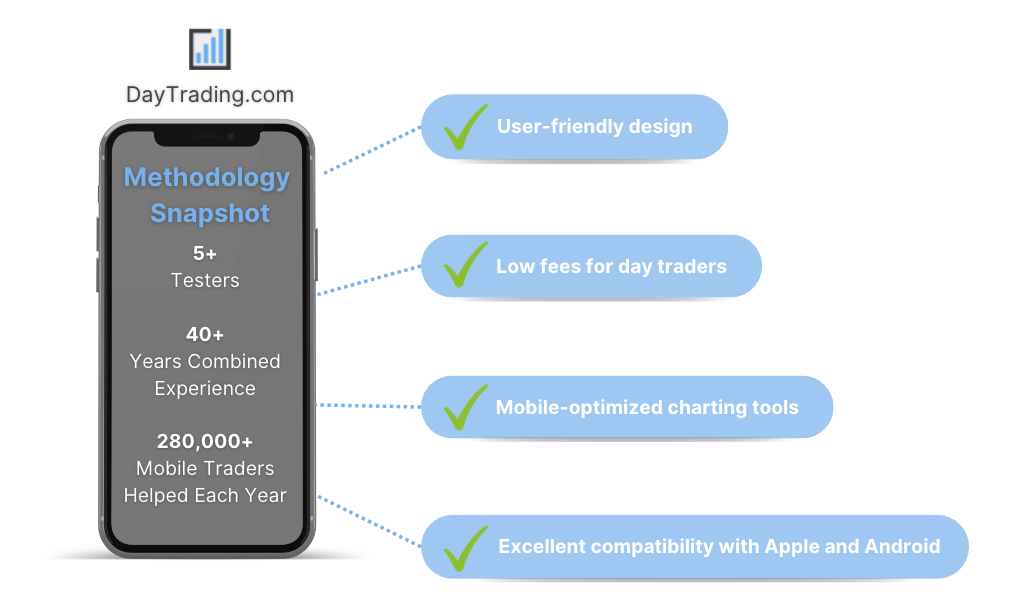
We’ve evaluated countless mobile platforms to bring you our selection of the best day trading apps. Discover the applications that stand out for their:
- User-friendly design
- Low fees for day traders
- Mobile-optimized charts and analysis tools
- Excellent compatibility with Apple and Android devices
But don’t just take our word for it, for each day trading app we scored highly, we’ve also compiled ratings from the Apple App Store and Google Play Store so you can see what other traders think.
6 Top-Rated Apps For Day Trading In 2026
These are the 6 best apps for day trading based on our hands-on tests and in-depth analysis in September 2026:
-
1
 Interactive BrokersiOS & Android
 -
2
 PlexytradeiOS & Android
 -
3
 MoomooYes (iOS & Android)
 -
4
 KrakenYes
 -
5
 TradeUpiOS & Android
 -
6
 FOREX.comiOS & Android
What Makes These Apps The Highest Rated For Day Trading?
Here’s a snapshot of why these day trading apps topped our latest tests:
- Interactive Brokers is the top-rated app for day trading in 2026 - The IBKR Mobile app, available on both iOS and Android devices, makes your phone a powerful gateway to your IBKR accounts, offering you the freedom to keep an eye on portfolios, initiate trades, and dive into real-time quotes and charts, all while managing your account activities on the fly. This app stands out for its intuitive design, making it especially welcoming for those just starting their trading journey, providing a smoother and more accessible experience than the more complex TWS platform.
- Plexytrade - Rather than developing its own app, Plexytrade offers its 100+ instruments on the MT4 and MT5 mobile platforms. While MetaTrader is favored by experienced traders, the absence of a proprietary trading app results in a steep learning curve for beginners. It also means deposits, withdrawals and account management have to be completed through the Plexytrade website, leading to a less complete mobile trading experience.
- Moomoo - The Moomoo app is part of the core offering. We’ve spent hours using it and it’s feature-rich, with the ability to find and screen assets, conduct market research, check pre-market moves, and place market and pending orders. It’s a step up from most investing apps that focus on the basics but leave you turning to the desktop platform for advanced trading tools. The catch is that with many features the learning curve from our tests was longer than at rivals.
- Kraken - We've tested Kraken in a live account and it's an intuitive app, especially compared to alternatives like Binance. You can explore tokens, manage your portfolio, and set up a buy, recurring buy, sell or convert assets in a few taps after pressing the '+' icon in the bottom menu. 2FA and biometric login make for a secure mobile experience, while it's one of the few crypto apps to offer a route to secure potential prop funding from your palm.
- TradeUp - The TradeUp.com mobile app offers a clean, user-friendly experience that works well for trading on the go. It also provides all the essential tools, including custom watchlists and alerts, which help you stay up-to-date. However, the app limits advanced chart indicator customization, and the occasional notification spam can be distracting during active trading sessions based on our hands-on mobile tests.
- FOREX.com - Running alongside the MT4 and Web Trader platforms, the FOREX.com app offers full trading capabilities on a user-friendly, compact platform. Integrated news and analysis, plus real time trade alerts, are two mobile specific features that set this app above the crowd. Additionally, it beats out MT4 when it comes to mobile charting tools, with over 80 indicators and 11 chart types, not to mention a slicker design that we love.
Top Day Trading Apps Comparison
Find the top-rated day trading app for you with our detailed comparison of the areas vital to active mobile traders:
| Broker | iOS Rating | Android Rating | Day Trading Markets | Regulators |
|---|---|---|---|---|
| Interactive Brokers | / 5 | / 5 | Stocks, Options, Futures, Forex, Funds, Bonds, ETFs, Mutual Funds, Cryptocurrencies | SEC, FINRA, CFTC, NFA, CIRO, FCA, CBI, ASIC, SFC, SEBI, JFSA, MAS |
| Plexytrade | / 5 | / 5 | CFDs, Forex, Indices, Stocks, Commodities, Crypto | - |
| Moomoo | / 5 | / 5 | Stocks, Options, ETFs, ADRs, OTCs | SEC, FINRA, SIPC, MAS, SFC, ASIC, FMA, CIRO, CIPF, JFSA, SC |
| Kraken | / 5 | / 5 | Cryptos, xStocks, Pre-IPO Perpetual Futures | FINTRAC, AUSTRAC, CySEC, CBI |
| TradeUp | / 5 | / 5 | Stocks, Options, ETFs, Bonds | SEC, FINRA |
| FOREX.com | / 5 | / 5 | Forex, Futures and Options on Metals, Energies, Commodities, Indices, Bonds | NFA, CFTC |
How Safe Are These Day Trading Applications?
Find out how our top apps for day trading protect your funds while managing transactions and trades on the go:
| Broker | Trust Rating | Guaranteed Stop Loss | Negative Balance Protection | Segregated Accounts |
|---|---|---|---|---|
| Interactive Brokers | ✘ | ✘ | ✔ | |
| Plexytrade | ✘ | ✔ | ✔ | |
| Moomoo | ✘ | ✘ | ✔ | |
| Kraken | ✘ | ✘ | ✔ | |
| TradeUp | ✘ | ✘ | ✔ | |
| FOREX.com | ✘ | ✘ | ✔ |
Are the Top Day Trading Apps Good for Beginners?
New traders should choose an app that allow trading with virtual money, alongside other features geared towards beginners:
| Broker | Demo Account | Minimum Deposit | Minimum Trade | Education Rating | Support Rating |
|---|---|---|---|---|---|
| Interactive Brokers | ✔ | $0 | $0 | ||
| Plexytrade | ✔ | $50 | 0.01 | ||
| Moomoo | ✔ | $0 | $0 | ||
| Kraken | ✔ | $10 | Variable | ||
| TradeUp | ✔ | $0.01 | $1 | ||
| FOREX.com | ✔ | $100 | 0.01 Lots |
Are the Top Day Trading Apps Good for Advanced Traders?
Experienced traders should look for sophisticated tools to enhance the mobile trading experience:
| Broker | Automated Trading | VPS | AI | Pro Account | Leverage | Low Latency | Extended Hours |
|---|---|---|---|---|---|---|---|
| Interactive Brokers | Capitalise.ai, TWS API | ✘ | ✔ | ✘ | 1:50 (major forex pairs), 1:2-1:4 (equities) | ✔ | ✔ |
| Plexytrade | Expert Advisors (EAs) on MetaTrader | ✔ | ✘ | ✘ | 1:2000 | ✔ | ✘ |
| Moomoo | Moomoo OpenAPI | ✘ | ✔ | ✘ | 1:2 | ✔ | ✔ |
| Kraken | Kraken Futures is integrated in other platforms which have bots: Bookmap, Caspian, FMZ Quant, Gunbot, HaasOnline, Hyndor, Margin | ✘ | ✘ | ✘ | - | ✔ | ✘ |
| TradeUp | - | ✘ | ✘ | ✘ | - | ✘ | ✔ |
| FOREX.com | Expert Advisors (EAs) on MetaTrader | ✔ | ✔ | ✘ | 1:50 | ✔ | ✘ |
Compare the Ratings of Top Apps For Day Trading
See how top short-term trading apps rate in key areas after our in-depth tests of their mobile trading capabilities:
| Broker | Trust | Platforms | Assets | Mobile | Fees | Accounts | Research | Education | Support |
|---|---|---|---|---|---|---|---|---|---|
| Interactive Brokers | |||||||||
| Plexytrade | |||||||||
| Moomoo | |||||||||
| Kraken | |||||||||
| TradeUp | |||||||||
| FOREX.com |
Compare Mobile Trading Fees
The cost of trading with a broker will make a big difference over time, especially if you're making frequent mobile transactions. Here's how the top day trading app providers stack up on pricing:
| Broker | Cost Rating | Fixed Spreads | Inactivity Fee |
|---|---|---|---|
| Interactive Brokers | ✘ | $0 | |
| Plexytrade | ✘ | - | |
| Moomoo | ✘ | $0 | |
| Kraken | ✘ | $0 | |
| TradeUp | ✘ | $0 | |
| FOREX.com | ✘ | $15 |
Community Sentiment
See how users rate these brokers based on the average customer ratings submitted on DayTrading.com, plus ratings from Trustpilot, the Apple App Store and Google Play.
| Broker | Our Users' Rating | Trustpilot Score | Trustpilot Reviews | iOS App Rating | Android App Rating |
|---|---|---|---|---|---|
| Interactive Brokers | 5507 | ||||
| Plexytrade | 96 | ||||
| Moomoo | 560 | ||||
| Kraken | 8973 | ||||
| TradeUp | - | 1 | |||
| FOREX.com | 2507 |
How Popular Are These Day Trading Apps?
Many traders prefer the most downloaded apps (those with the most users):
| Broker | Popularity |
|---|---|
| Moomoo | |
| Kraken | |
| Interactive Brokers | |
| FOREX.com |
Why Day Trade On Your Mobile With Interactive Brokers?
"Interactive Brokers is one of the best brokers for advanced day traders, providing powerful charting platforms, real-time data, and customizable layouts, notably through the new IBKR Desktop application. Its superb pricing and advanced order options also make it highly attractive for day traders, while its diverse range of equities is still among the best in the industry."
Christian Harris, Reviewer
Interactive Brokers Quick Facts
| Mobile Apps | iOS & Android |
|---|---|
| iOS App Rating | / 5 |
| Android App Rating | / 5 |
| Demo Account | Yes |
| Instruments | Stocks, Options, Futures, Forex, Funds, Bonds, ETFs, Mutual Funds, Cryptocurrencies |
| Minimum Deposit | $0 |
| Account Currencies | USD, EUR, GBP, CAD, AUD, INR, JPY, SEK, NOK, DKK, CHF, AED, HUF |
Pros
- The TWS platform has clearly been built for intermediate and advanced traders and comes with over 100 order types and a reliable real-time market data feed that rarely goes offline.
- IBKR continues to deliver unmatched access to global stocks with tens of thousands of equities available from 100+ market centres in 24 countries, most recently the Saudi Stock Exchange.
- While primarily geared towards experienced traders, IBKR has made moves to broaden its appeal in recent years, reducing its minimum deposit from $10,000 to $0.
Cons
- IBKR was fined $11.8m by the US OFAC in 2025 for providing services in sanctioned jurisdictions. It was also fined $125k by FINRA in 2025 for municipal bond disclosure failures.
- You can only have one active session per account, so you can’t have your desktop program and mobile app running simultaneously, making for a sometimes frustrating trading experience.
- IBKR provides a wide range of research tools, but their distribution across trading platforms and the web-based 'Account Management' page lacks consistency, leading to a confusing user experience.
Why Day Trade On Your Mobile With Plexytrade?
"Plexytrade is a newcomer in the brokerage scene with attention-grabbing features like 1:2000 leverage, zero spreads on select instruments and fast execution speeds of less than 46 milliseconds. However, the absence of regulation is a significant concern, while the non-existent research and educational tools place it far behind industry frontrunners."
Plexytrade Quick Facts
| Mobile Apps | iOS & Android |
|---|---|
| iOS App Rating | / 5 |
| Android App Rating | / 5 |
| Demo Account | Yes |
| Instruments | CFDs, Forex, Indices, Stocks, Commodities, Crypto |
| Minimum Deposit | $50 |
| Account Currencies | USD, EUR |
Pros
- There are various VPS packages starting from $50 per month, but they become complimentary once specific deposit thresholds are reached.
- Plexytrade accommodates a range of trading methods and short-term strategies, including scalping, hedging, and automated trading.
- The choice of accounts provides a solution for various trading styles, with Gold Raw appealing to day traders owing to its spreads from 0.0 pips.
Cons
- Plexytrade lacks regulation in major jurisdictions, significantly increasing the risks of opening an account and depositing funds.
- Deposits and withdrawals are exclusively facilitated through cryptocurrencies, as Plexytrade does not support bank cards, bank wire transfers, or e-wallets.
- There are no research and educational materials, falling short of alternatives like IG, while access to the economic calendar is restricted to clients with balances of $500.
Why Day Trade On Your Mobile With Moomoo?
"Moomoo remains an excellent choice for new and intermediate stock traders who want to build a diverse investment portfolio. What really stands out is the broker's user-friendly app and the low trading fees."
Moomoo Quick Facts
| Mobile Apps | Yes (iOS & Android) |
|---|---|
| iOS App Rating | / 5 |
| Android App Rating | / 5 |
| Demo Account | Yes |
| Instruments | Stocks, Options, ETFs, ADRs, OTCs |
| Minimum Deposit | $0 |
| Account Currencies | USD, CAD, AUD, JPY, MYR, HKD, SGD, CNY |
Pros
- Moomoo's analytics and insights are impressive and detailed compared to other brands
- There are reduced options contract fees from $0.65 to $0
- API Skills provides agentic investing to retail traders, whereby users can connect their personal AI agents like Claude or OpenAI to Moomoo's infrastructure to execute algo strategies in plain natural language
Cons
- Moomoo has faced multiple regulatory penalties in recent years, including fines and orders in 2026 that stopped it temporarily accepting some Japanese and Chinese clients
- There is no negative balance protection, which is a common safety feature at top-tier-regulated brokers
- The account range is narrow compared to other brokerages in its class with no managed portfolios or robo-advisor solutions
Why Day Trade On Your Mobile With Kraken?
"Kraken will suit traders looking for a diverse list of cryptos including Bitcoin and a good security track record."
William Berg, Reviewer
Kraken Quick Facts
| Mobile Apps | Yes |
|---|---|
| iOS App Rating | / 5 |
| Android App Rating | / 5 |
| Demo Account | Yes |
| Instruments | Cryptos, xStocks, Pre-IPO Perpetual Futures |
| Minimum Deposit | $10 |
| Account Currencies | USD, EUR, GBP, CAD, AUD, JPY, CHF |
Pros
- Kraken enables accredited US investors to lock their cash and stablecoins up for fixed periods from 3 to 18 months with competitive fixed APY of up to 7%
- Low exchange fees on Kraken Pro
- Kraken Pro offers perpetual futures through a CFTC-regulated venue
Cons
- Slow verification times
- Insider data breach and extortion incident affecting customer data in April 2026
- Low leverage on spot trading
Why Day Trade On Your Mobile With TradeUp?
"TradeUp is best suited to budget-conscious day traders looking to trade U.S. and global markets (via ADRs) with zero commissions on a user-friendly mobile app. Its more than 250 Chinese American Depositary Receipts (ADRs), including Alibaba Group (BABA), also make it suitable for trading Chinese equities."
TradeUp Quick Facts
| Mobile Apps | iOS & Android |
|---|---|
| iOS App Rating | / 5 |
| Android App Rating | / 5 |
| Demo Account | Yes |
| Instruments | Stocks, Options, ETFs, Bonds |
| Minimum Deposit | $0.01 |
| Account Currencies | USD |
Pros
- TradeUp runs an integrated and intuitive financial calendar that helps you track earnings, dividends, and IPOs relevant to your watchlist, enabling you to stay ahead of market-moving events.
- TradeUp offers commission-free trading on US stocks and ETFs, and support for fractional shares lets you buy portions of a share for as little as $1. This makes it a cost-effective choice for active day traders who want to minimize trading expenses.
- TradeUp’s platforms work smoothly across multiple devices based on our tests, including mobile apps for iOS and Android, a desktop app for Windows and Mac, and a web-based platform. This allows active traders to switch between devices without losing continuity, whether you’re at home or on the go.
Cons
- A 2026 security incident left the personal and financial data of 26,985 users vulnerable, including their Social Security numbers, driver's licenses, passports, and medical information.
- The platform's technical indicators have limited customization options from our use. On both mobile and web versions, you can't layer multiple indicators on the same chart simultaneously, which restricts more sophisticated chart analysis.
- TradeUp does not support popular third-party platforms like TradingView or cTrader, so traders who rely on those for advanced charting, automation, or community features won't find that flexibility.
Why Day Trade On Your Mobile With FOREX.com?
"FOREX.com remains a best-in-class brokerage for active forex traders of all experience levels, with over 80 currency pairs, tight spreads from 0.0 pips and low commissions. The powerful charting platforms collectively offer over 100 technical indicators, as well as extensive research tools."
FOREX.com Quick Facts
| Mobile Apps | iOS & Android |
|---|---|
| iOS App Rating | / 5 |
| Android App Rating | / 5 |
| Demo Account | Yes |
| Instruments | Forex, Futures and Options on Metals, Energies, Commodities, Indices, Bonds |
| Minimum Deposit | $100 |
| Account Currencies | USD, EUR, GBP, CAD, AUD, JPY, CHF, PLN |
Pros
- There’s a wealth of educational resources including tutorials, webinars, and a stacked YouTube channel to help you get educated in the financial markets.
- FOREX.com offers industry-leading forex pricing starting from 0.0 pips, alongside competitive cashback rebates of up to 15% for serious day traders.
- The in-house Web Trader continues to stand out as one of the best-designed platforms for aspiring day traders with a slick design and over 80 technical indicators for market analysis.
Cons
- FOREX.com's MT4 platform offers approximately 600 instruments, significantly fewer than the over 5,500 available on its non-MetaTrader platforms.
- The group being FOREX.com, GAIN Capital Group LLC, had to pay a $700k fine to NFA for improperly handling some client accounts.
- There’s no negative balance protection for US clients, so you may find yourself owing more money than your initial deposit into your account.
Where brokers do not offer their own proprietary trading apps, and instead support third-party applications like MT4, MT5 or cTrader, we have shown these ratings from the respective app stores. Also kindly note that ratings from app stores may change.
What To Look For In An App For Day Trading
In recent years, we’ve seen the day trading landscape shift, with more retail investors using smartphones for online trading. In fact, the number of trading app users has risen year-on-year according to Business of Apps.
Application functionality has also improved, where once you could just view portfolios and make basic trades, the best day trading apps today offer the complete package for all types of traders.
However, despite significant investment in app development and varied personal preferences, the key qualities of an outstanding app for day trading remain the same:
We explain these factors and our methodology in detail below…
They Are Easy And Enjoyable To Use
For intraday traders, where every second can count, selecting a day trading app with a user-friendly design that allows for easy navigation is essential.
The ability to quickly analyze data and execute trades with minimal clicks or fuss is a key feature of top apps. Given the trend of apps like Robinhood, which gamify trading with features like digital confetti when you make a trade, it’s important for serious day traders to avoid such distractions.
We assess the usability of day trading apps by evaluating how they balance providing key information for informed trading decisions, without overwhelming users with excessive data. This approach ensures that the apps we recommend offer an optimal user experience, catering to the specific needs of day traders.
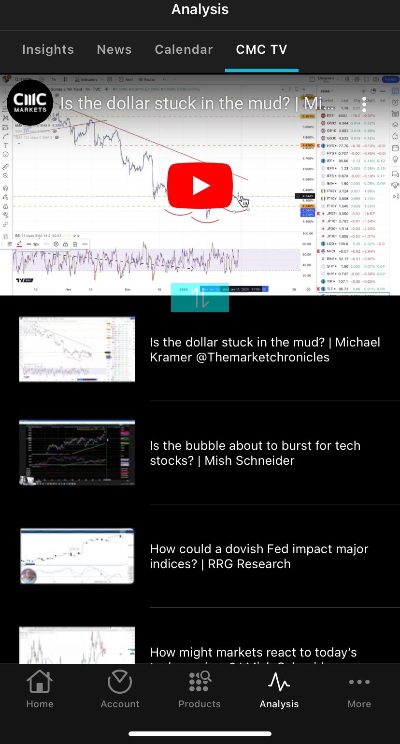
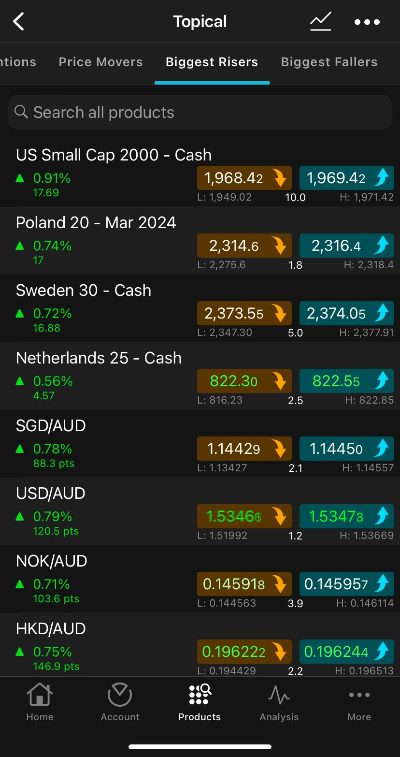
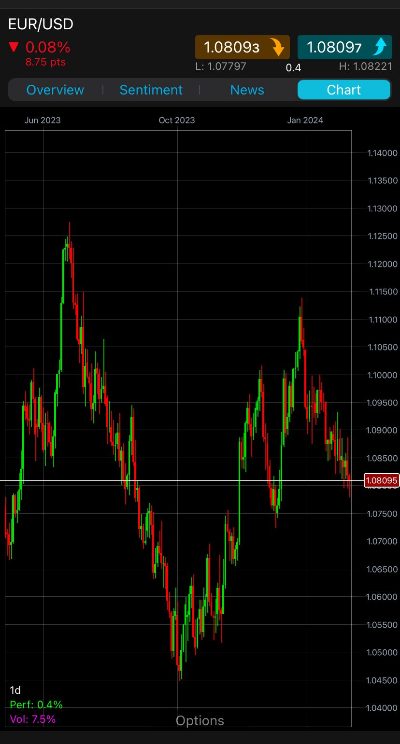
- Our firsthand experience with the CMC Markets app reveals its significant investment in recent years, resulting in an intuitive and user-friendly design that we love. The app simplifies market analysis and trade management for the full spectrum of traders, offering a seamless experience that earned it one of our annual awards.
They Offer The Tools You Need To Day Trade Effectively
From our many years in the industry, we understand that transitioning from desktop to mobile trading platforms often means compromising on functionality, particularly in charting tools, which are vital for day traders.
Therefore, we look for day trading apps that deliver a comprehensive mobile trading experience, including mobile-friendly charts with numerous technical indicators and drawing tools, as well as a complete range of order types.
Additionally, we value standout features such as SMS alerts and push notifications that provide buy and sell signals or important market updates, improving the overall trading experience.
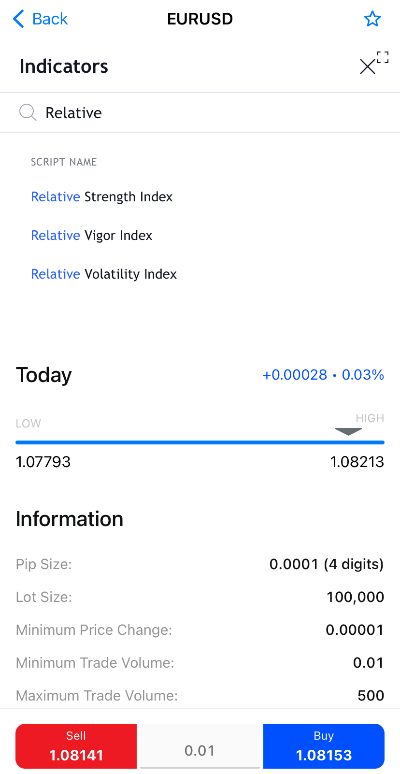
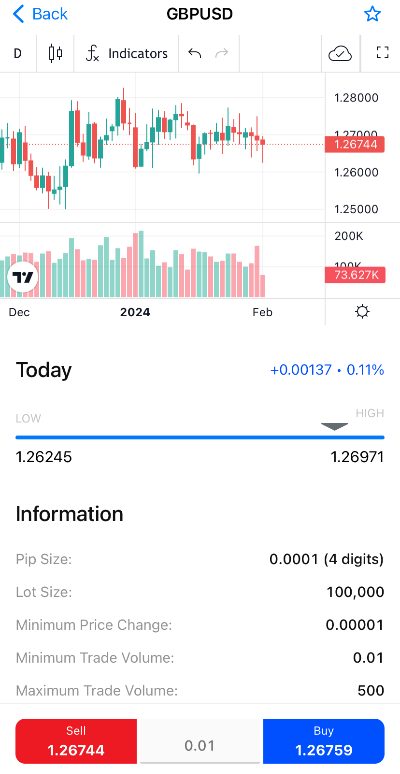
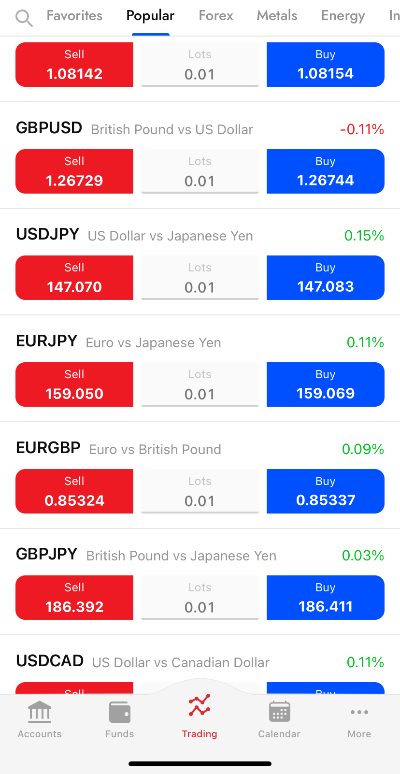
- Our time testing the FxPro app has been excellent, particularly for its advanced yet user-friendly charting functions and huge selection of technical indicators. The mobile interface allows easy customization of charts, and the split-screen feature is a real plus, enabling simultaneous viewing of charts and trading data on one screen.
They Provide Seamless Compatibility With Your Device
We’ve found that while most top day trading apps are available on both the Apple App Store and Google Play Store, their performance can vary between iPhone/iPad and Android devices.
For example, during our analysis, E*Trade scored 4.6/5 on the Apple App Store but only 2.9/5 on the Google Play Store, indicating a less optimal experience for Android users.
Therefore, we prioritize the mobile trading experience on both Apple and Android platforms, blending our own testing observations with feedback from other traders. This approach helps us ensure that the day trading apps we recommend deliver a high-quality experience, regardless of the device.
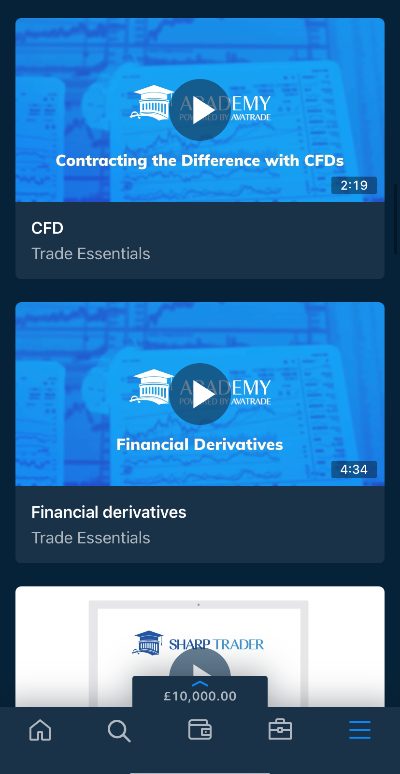
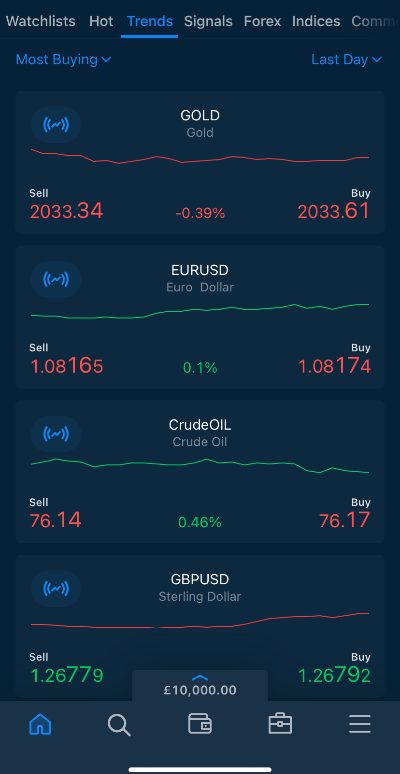
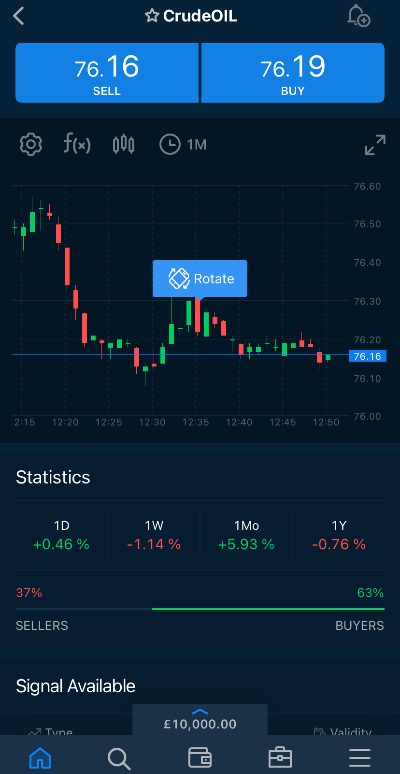
- Our evaluation of AvaTrade solidifies its position as a top-tier day trading app. It impressed us with its smooth and flawless performance during our tests, and this excellence is mirrored in its equally high ratings on both the Apple App Store and Google Play Store.
They Offer Excellent Pricing For Day Traders
It’s vital to select day trading apps with low fees, as this can help maximize profits by reducing the ongoing transaction costs that quickly add up in the high-frequency environment of day trading.
In our hands-on assessments, we carefully review the fees associated with day trading in popular markets like stocks, forex, and commodities.
We also consider the needs of different traders. Beginners, for example, may prefer a commission-free model with variable spreads and zero inactivity fees, keeping pricing simple with no penalties if they choose to stop day trading. On the other hand, experienced day traders often prefer models that feature tight spreads and low, fixed commissions.
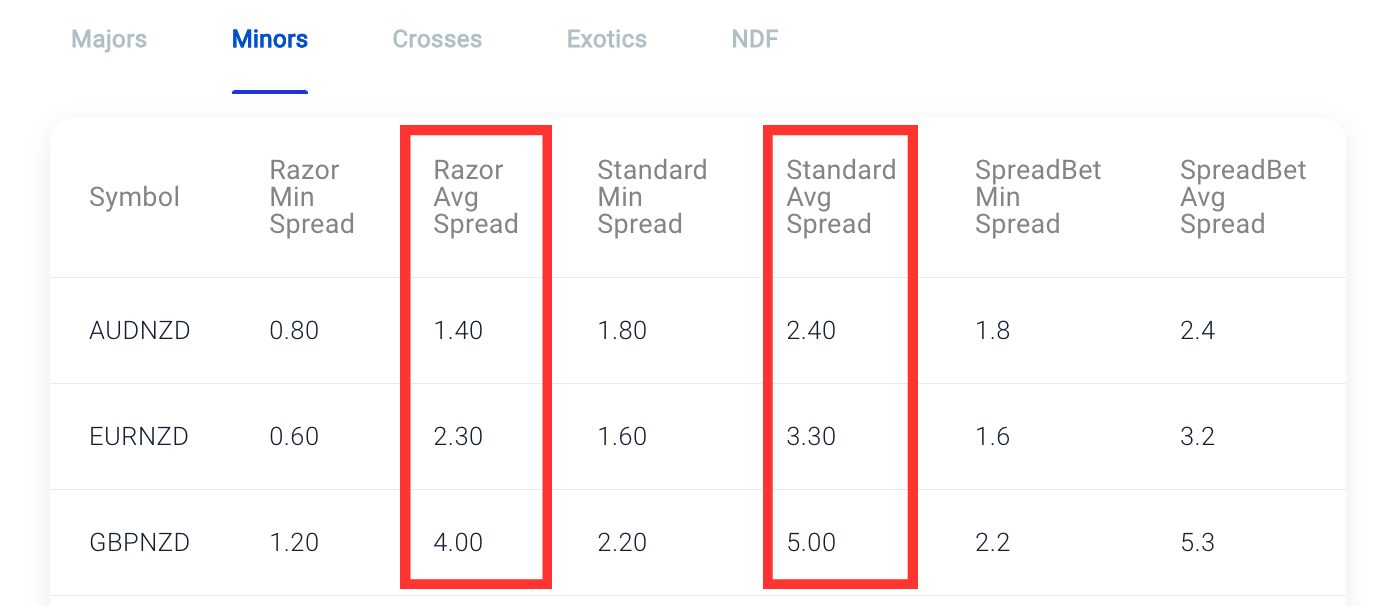
- Pepperstone continues to deliver competitive pricing for day traders. We’ve found the commission-free Standard account to be a decent option for entry-level traders, but it’s the Razor account for experienced traders that really stands out. With average spreads of just 0.3 on the USD/JPY and a reasonable $3.50 commission per lot per side, it’s a particularly attractive choice, especially when combined with the rebate program for active traders.
If you’re still unsure which app to use for day trading, I recommend test-driving a few applications using demo accounts. This will help you find good day trading apps with designs you enjoy, tools you need, low fees, and excellent integration with your mobile or tablet devices.
FAQ
What Is A Day Trading App?
A day trading app is a downloadable application for your mobile or tablet, allowing you to conduct day trading activities like market analysis, trade execution, and account management.
Some day trading brokers, such as CMC Markets, have built their own apps that offer everything in one package, while other firms, such as IG, have stand-alone apps for different purposes such as trading and education.
There are also brokers, such as Pepperstone, that provide access to popular third-party apps that can be used for charting and day trading, such as MetaTrader 4 (MT4) and MetaTrader 5 (MT5).
For Specific Countries
Article Sources
The writing and editorial team at DayTrading.com use credible sources to support their work. These include government agencies, white papers, research institutes, and engagement with industry professionals. Content is written free from bias and is fact-checked where appropriate. Learn more about why you can trust DayTrading.com